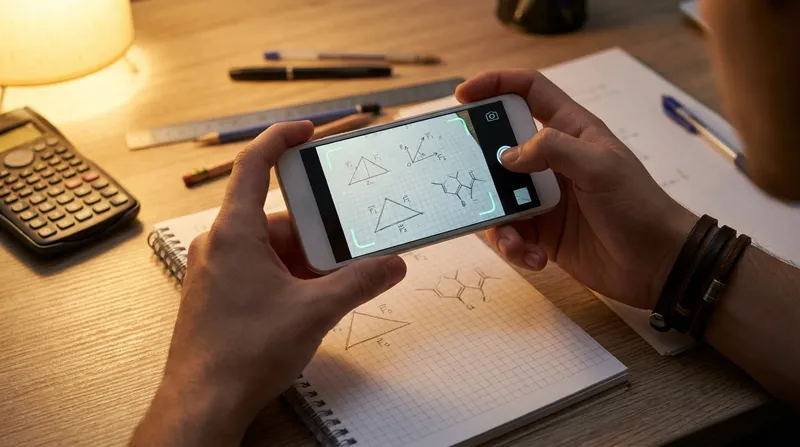
We have all been there: it is 10:30 PM on a Tuesday, you are staring at a worksheet full of kinematics vectors or unbalanced chemical equations, and nobody in the house remembers how to solve them. Reaching for an AI photo math solver feels like the ultimate relief, until you run into a frustrating double roadblock.
First, camera scanners frequently misread messy handwritten symbols, tiny chemical subscripts, or complex physics diagrams, generating confidently wrong answers. Second, even when the scan works, many apps either lock the actual explanation behind an expensive paywall or skip foundational logic, tempting students to mindlessly copy the final line while parents worry that no real learning is happening.
You do not have to choose between late-night homework tears and passive answer-copying. According to a 2026 report from the RAND Corporation, 62% of students now use AI for homework and 38% rely on it specifically to get clearer explanations of tough assignments, even as 67% agree that the more students use AI for schoolwork, the more it will harm their critical thinking skills. In this complete step-by-step guide, you will learn how to capture crystal-clear STEM scans, fix handwriting recognition errors before they ruin your calculation, and use a step-by-step AI homework solver to build real confidence across math, physics, and chemistry.
How Does an AI Photo Math Solver Work?
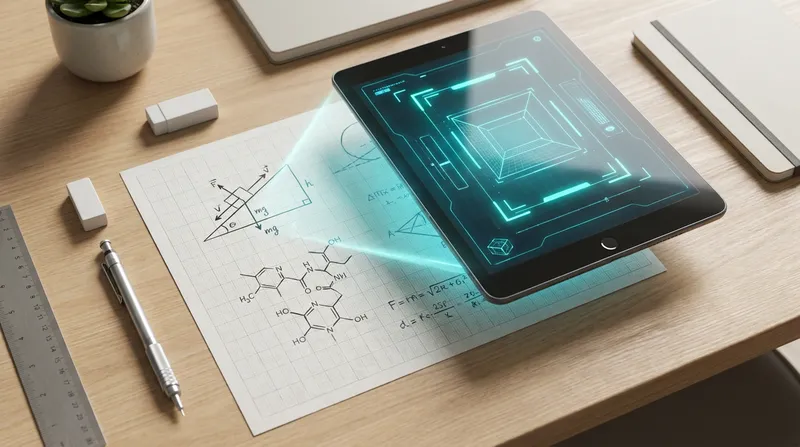
When you upload a picture to solve math problem sets, the app does much more than match your photo to a static database of pre-written textbook answers. Modern STEM picture solvers combine two technologies: Optical Character Recognition (OCR) and multimodal reasoning engines.
First, the OCR homework scanner AI scans the pixels of your image to detect characters, spatial layouts, fraction bars, and geometric shapes. It translates your visual photo into structured digital math code (often called LaTeX). Next, the AI reasoning engine analyzes that code alongside any surrounding word-problem text to determine which mathematical or scientific rules apply.
If you want to see how this technology stacks up against traditional human support, check out our guide on Online Math Homework Help (2026): AI Solvers vs. Tutors.
What to do right now:
- Check whether your current homework app offers an "Edit Scanned Equation" preview screen.
- Always read the digital transcription line before reading the final answer to confirm the scanner saw what you actually wrote.
Step-by-Step Guide to Scanning Homework Problems
Whether you are using a smartphone over a paper textbook or working on a laptop, following a clean capture workflow prevents many common AI errors. Here is how to get a reliable photo-to-math solver step-by-step result every time.
Workflow A: Mobile Camera Scanning (Textbooks & Worksheets)
- Flatten the page and angle your light: Curved textbook bindings warp fraction bars and exponents. Press the page flat and shine your desk lamp from the side so your hand and phone do not cast a dark shadow over the numbers.
- Hold the phone parallel to the paper: Tilting your camera at a sharp angle makes top lines look tiny and bottom lines look huge, which confuses spatial OCR scanners.
- Crop tightly to a single problem: If you capture three problems at once, the AI may blend variables from question 4 into question 5. Drag the crop box around one problem and its immediate instructions.
- Verify the parsed equation: Before accepting the solution, check that every exponent, negative sign, and decimal point matches your paper.
- Expand the intermediate steps: Read through the logical breakdown to see which formula was chosen and why.
Workflow B: Desktop Screenshot Solving (Digital Assignments)
Many middle and high school assignments now live on school laptops via Canvas, Google Classroom, or PDF worksheets. Taking a blurry phone picture of a glowing laptop screen creates glare and moiré patterns (wavy interference lines) that ruin OCR accuracy. Instead, use an AI screenshot homework solver workflow:
- Capture a clean screen snip: On Windows, press
Win + Shift + Sto open the Snipping Tool. On a Mac, pressCmd + Shift + 4. - Include both the prompt and the diagram: Drag your cursor around the full question text and any accompanying graph or table.
- Upload or paste directly: Open a web-based tool or a free AI picture solver with no sign-up interface in your browser and paste (
Ctrl + VorCmd + V) or upload the saved image file directly for instant parsing.
The Tri-Subject STEM Scanning Blueprint: Math, Physics, and Chemistry
Most guides treat scanning a basic linear equation the exact same way as scanning a circuit diagram or a stoichiometry table. In reality, getting the most out of the best AI photo solver for STEM means knowing how to frame the unique visual language of each subject.
1. Mathematics: Fractions, Matrices, and Geometry
Standard algebra equations scan easily, but multi-layered notation requires careful framing:
- Tall fractions and integrals: Leave at least half an inch of blank margin above and below complex fractions or calculus integrals so the crop box does not slice off upper limits or exponents.
- Piecewise functions and matrices: Capture the entire bracket structure in one frame.
- Geometry diagrams: Many text-only chatbots fail miserably when angles and side lengths are embedded inside triangles or circles. As we detail in our breakdown of Why ChatGPT Fails at Geometry (And How Vision-Based AI Geometry Solvers Fix It), you must capture both the visual shape and the printed "Given" statements above it (for example, "Given: Line AB is parallel to Line CD").
2. Physics: Free-Body Diagrams, Vectors, and Word Problems
Using an AI physics problem solver from an image requires capturing context alongside visuals. Physics problems rarely exist as standalone equations; they hide critical numbers inside paragraphs and diagrams.
- Keep text and diagrams together: If a problem shows a block on a 30-degree inclined plane and the paragraph above says "the coefficient of kinetic friction is 0.25," capture both the paragraph and the drawing in the same frame.
- Highlight vector arrows and axes: If you drew a free-body diagram in faint pencil, darken the arrow tips and label your $+x$ and $+y$ axes clearly so the vision model knows which direction is positive.
- Circle target units: If the question asks for the answer in kilojoules ($kJ$) instead of joules ($J$), include that final sentence in your crop so the solver performs the unit conversion at the end.
3. Chemistry: Subscripts, States of Matter, and Reaction Arrows
When using a chemistry equation balancer photo AI, tiny visual details change the entire meaning of a problem:
- Separate coefficients from subscripts: Make sure the camera clearly distinguishes between a large coefficient in front of a molecule (like $2H_2O$) and the small subscript ($2$) sitting below the line.
- Include states of matter and ion charges: In net ionic and redox reactions, symbols like $(aq)$, $(s)$, $(g)$, and superscript charges like $Fe^{3+}$ are essential. Wipe your camera lens before scanning small textbook fonts so a $3+$ charge does not blur into a $2+$.
- Draw clean reaction arrows: When scanning handwritten organic chemistry or equilibrium problems, draw a distinct one-way arrow ($\rightarrow$) or reversible double arrow ($\rightleftharpoons$) rather than an equals sign ($=$).
How to Scan Handwritten Equations into AI (The OCR Troubleshooting Cheat Sheet)
Even the smartest handwritten math problem solver AI will stumble if it misreads your penmanship. When an AI solver gives a wildly wrong answer, it is often because the OCR scanner mistook one handwritten character for another.
Before you snap a photo of your notebook, use this quick handwriting checklist to improve recognition accuracy:
- Curve your $x$, cross your $t$: A rushed variable $x$ looks identical to a multiplication cross ($\times$) or a plus sign ($+$). Write algebraic $x$ with two curved C-shapes back-to-back, and put a small hook at the bottom of your variable $t$ so it never looks like a $+$ sign.
- Put a horizontal bar through $z$: Handwritten $2$s and $z$s are notorious twins. Crossing the middle of your $z$ tells the OCR scanner it is a variable, not a number.
- Close the top of your $5$ and loop your $s$: In physics kinematics equations (where $s$ often represents displacement), a sloppy $5$ easily turns into an $s$. Make the top corner of your $5$ sharp and angular.
- Write on unlined paper or dark ink over faint lines: Dark blue or black ink on white paper offers the highest contrast. If you use dark grid paper with a light mechanical pencil, the scanner may read the vertical grid lines as absolute value bars ($|x|$) or the number $1$.
- Erase stray smudges completely: A half-erased pencil dot next to a number looks like a decimal point or a multiplication dot to a computer vision algorithm.
Actionable Fix: If you scan a messy notebook page and the AI homework helper photo tool misreads a single digit, do not retake the photo five times. Simply rewrite that one equation neatly on a blank sticky note, place it over the messy line, and snap once.
The "Explain Step 2" Method: What to Do When Steps Skip Logic
Have you ever scanned a math or chemistry problem, looked at the solution, and thought, "Wait, how did they get from Step 2 to Step 3?"
In an exploratory randomized controlled trial by Google and Eedi with 165 UK secondary students (ages 13 to 15), students tutored by a human-supervised AI solved novel problems on later topics 66.2% of the time, compared with 60.7% for students tutored by humans alone.
When a solution step feels like a giant leap, use the "Explain Step 2" Method to interrogate the process:
- Pinpoint the exact transition: Instead of staring at the whole page, find the exact line where a number changed or a variable disappeared. (For example, in AP Calculus or IB Math, skipping intermediate steps can cost you method or reasoning points on free-response questions; read our guide on AP & IB Math 2026: Why Instant-Answer AI Apps Cost You Crucial 'Method Marks' to see why teachers grade the middle steps so strictly.)
- Ask a micro-question: Use interactive follow-up prompts or concept breakdowns to ask:
- "What algebraic rule allowed you to move $2x$ to the denominator in Step 2?"
- "Show the intermediate fraction simplification between line 3 and line 4."
- "Why did you multiply by the molar mass of $O_2$ instead of $O$ in this stoichiometry step?"
- Cover and reproduce: Once the missing micro-step makes sense, turn your phone screen face down and write the entire solution from scratch on your paper. If you get stuck halfway through, you just found the exact concept you need to practice before Friday's quiz.
Apps like Tutor AI are built around this exact philosophy of "Snap. Solve. Learn." Instead of handing over a bare final number, Tutor AI breaks complex math, physics, and chemistry problems into clear, curriculum-aligned steps and offers personalized practice recommendations that target your weak spots.
The Parent & Tutor Playbook: Turning "Snap and Solve" into Real Learning
According to Pew Research Center, 54% of U.S. teens ages 13 to 17 have used AI chatbots for help with schoolwork (fall 2025 survey). Pew's earlier data showed ChatGPT use for schoolwork doubling from 13% in 2023 to 26% in 2024, with 31% of 11th and 12th graders using it. Even broader survey data from the College Board shows that 84% of high school students have used generative AI for schoolwork, and nearly 6 in 10 parents of high school students agree it is better for students to use generative AI for schoolwork than not to use it.
So how can busy parents and tutors use a snap-and-solve homework AI to end kitchen-table arguments without enabling "scan-and-copy" habits? Try these three rules:
1. The "Attempt First, Scan Second" Rule
Never scan a blank worksheet. Have your teen write down the given variables and attempt at least the first step on paper. When they scan the problem to get unstuck, they can compare their opening line against Step 1 of the AI breakdown. This shifts the mindset from "Do my homework for me" to "Where did my logic go off track?" For a deeper look at why adaptive guidance beats static answer keys, read Beyond Photomath: Why Your Child Needs an Adaptive AI Math Tutor, Not Just Fast Answers.
2. The 60-Second "Teach It Back" Check
Parents do not need to remember high school stoichiometry or trigonometric identities to check homework. Ask your child to show you one problem they used the AI solver to figure out, point to the middle of the page, and say: "Explain to me in 60 seconds why you divided here instead of multiplying." If they can explain the reasoning out loud, they learned it. If they cannot, they need to review the step-by-step breakdown again.
3. Use Progress Dashboards Instead of Hovering
Standing over a teenager's shoulder every night creates stress for everyone. Instead, look for learning platforms that offer built-in family transparency. As we explain in Stop the Scan-and-Copy: Why Your Teen's AI Math Tutor Needs a Parent Dashboard, Tutor AI includes progress tracking and weak-spot identification so parents can see daily engagement, topic mastery, and accuracy trends without micromanaging late-night study sessions. Plus, when you compare that 24/7 support against private tutoring rates in our breakdown of How Much Does a Math Tutor Cost in 2026? Hourly Rates, Monthly Budgets & AI Alternatives, it makes consistent STEM support accessible for the whole family.
Building these collaborative study habits takes only a few minutes each evening, and having answers to common technical questions makes the transition even smoother.
Frequently Asked Questions About AI Picture Solvers
Can an AI picture solver read messy handwritten math and chemistry equations?
Yes, modern OCR homework scanners can read handwritten notes, provided the characters are distinct and well-lit. To avoid misreads, write on unlined or faint-grid paper, make sure your plus signs ($+$) and $t$ variables look different, cross the middle of your $z$s so they never look like $2$s, erase stray pencil smudges, and clearly separate chemical subscripts from front coefficients. Always inspect the digital equation preview line before reading the solution steps.
How do I use an AI photo solver for physics word problems with diagrams?
When using an AI physics problem solver from an image, always frame both the text paragraph and the diagram (such as a free-body diagram or circuit) in a single photo. The AI needs the numbers from the text (like mass or friction coefficients) combined with the visual angles and vectors in the drawing to set up the right equations.
Why did the AI homework scanner give the wrong answer to my photo?
Many wrong answers come from an OCR transcription error during the scan rather than bad math logic. Glare on the page, cut-off fraction bars, or a smudged negative sign can trick the scanner into solving a completely different equation. Always read the digital "Scanned Problem" preview line first to verify every symbol matches your worksheet.
Can I upload a screenshot of my digital homework instead of taking a phone picture?
Absolutely. In fact, uploading a direct screenshot (Win + Shift + S on Windows or Cmd + Shift + 4 on Mac) is much more accurate than taking a smartphone photo of a laptop monitor, because it eliminates screen glare and pixel distortion.
How can parents make sure kids use a snap-and-solve homework AI without cheating?
Combine the "Attempt First, Scan Second" rule with an app that focuses on step-by-step mastery and progress tracking. Pairing daily practice with structured routines, like those in our guide on How to Create a Study Schedule for High School (That You'll Actually Follow), helps students use AI to conquer homework stress and overcome high school test anxiety long before exam day arrives.
Is there a free AI picture solver with no sign-up that shows step-by-step work?
Many web-based tools allow you to test a free AI picture solver with no sign-up scan for basic arithmetic, though several competitors lock multi-step STEM explanations behind paywalls. With Tutor AI, students can start solving math, physics, and chemistry problems on the free tier, which includes basic problem solving with a limited number of daily questions. Premium unlocks unlimited questions.
How do I scan a chemistry equation so the AI balances subscripts and ion charges accurately?
When using a chemistry equation balancer photo AI, hold your camera directly parallel to the page in bright, shadow-free lighting and crop tightly around the reaction. Make sure large front coefficients (like $2$ in $2H_2O$), lower subscripts ($2$), superscript ion charges ($Fe^{3+}$), and state symbols like $(aq)$ or $(g)$ are clearly separated so the OCR scanner does not merge them.
What is the best AI photo solver for STEM subjects like AP Physics and AP Calculus?
The best AI photo solver for STEM combines multimodal computer vision (capable of reading geometry shapes, calculus limits, and physics free-body diagrams) with interactive, step-by-step explanations. Look for a platform like Tutor AI that covers algebra through AP Calculus alongside physics and chemistry, while providing personalized practice recommendations to reinforce weak spots.
Can an AI photo math solver show multiple ways to solve the same equation?
Yes, a high-quality step-by-step AI homework solver can demonstrate different methods for the same problem, such as solving a quadratic equation by factoring, completing the square, or applying the quadratic formula. Reviewing alternative methods helps students match the exact technique taught in their classroom and earn full method marks on exams.
Does Tutor AI work offline when I am studying without Wi-Fi?
Partly. Snapping and processing new photos requires an internet connection, but Tutor AI Premium includes offline access to the full library, so you can keep reviewing while riding the bus or studying without Wi-Fi.
Ready to Snap, Solve, and Actually Learn?
You do not have to let a confusing algebra fraction, a tricky physics vector, or an unbalanced chemical equation ruin your evening. When you know how to capture a clean scan, verify your handwritten symbols, and study the step-by-step reasoning, an AI picture solver becomes the ultimate 24/7 study partner.
Whether you are a student stuck on homework at 10 PM or a parent looking for stress-free academic support with real progress tracking, Tutor AI is here to help you get unstuck anytime, anywhere. Visit Tutor AI or download the app on iOS and Android today to turn homework frustration into lasting STEM confidence!
Note: Every student learns differently. While these strategies are research-backed, results may vary. Adapt these techniques to fit your unique learning style and circumstances.