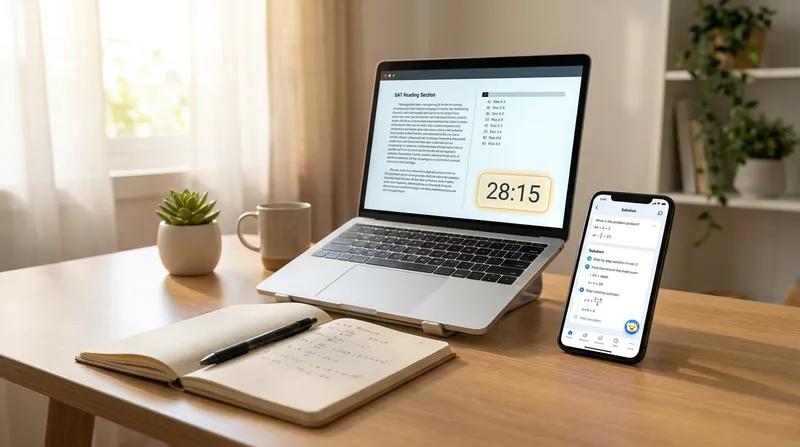
Many students spend grueling hours taking a full-length digital SAT practice test on the weekend. They wait for their score, see that the number has not budged, and feel totally defeated. The most frustrating part happens next. When they try to review their mistakes, the official SAT practice test answer explanations skip crucial math steps, leaving them completely confused. This cycle leaves students frustrated and parents feeling helpless, especially when hiring a private SAT tutor costs well over $100 an hour.
Taking a practice test is only half the battle. Reviewing the missed questions is where the actual learning happens. In this guide, we will walk you through where to find the best digital practice tests, how to simulate test day at home, and how to use Tutor AI's photo-solving feature to get detailed, step-by-step breakdowns of the math questions you got wrong. Let's tackle this together and turn those frustrating mistakes into higher scores.
Why Taking a Digital SAT Practice Test is Only Half the Battle
It is incredibly common for students to take multiple practice tests without seeing a score increase. If you are in this boat, you are not alone. There is a common illusion of progress in test prep. Simply taking the test builds your testing stamina, but it does not automatically build your academic skills.
To see real improvement, you need a mindset shift. You and your parents should treat every digital SAT practice test as a diagnostic tool rather than a final destination. The test simply tells you what you do not know yet. The real work begins when you sit down to figure out why you missed those specific questions.
Research from Carnegie Mellon University shows that a hybrid approach combining human oversight with AI tutoring leads to significant increases in skill proficiency compared to traditional methods alone. This means that using smart technology to review your mistakes is one of the most effective ways to learn.
If you want to dive deeper into this review strategy, check out our guide on Stop Guessing: How to Use AI to Review a Full Digital SAT Practice Test | Tutor AI Blog. AI can bridge the gap between getting a question wrong and understanding exactly why, making your study time much more productive.
Where to Find the Best Free SAT Practice Tests Online
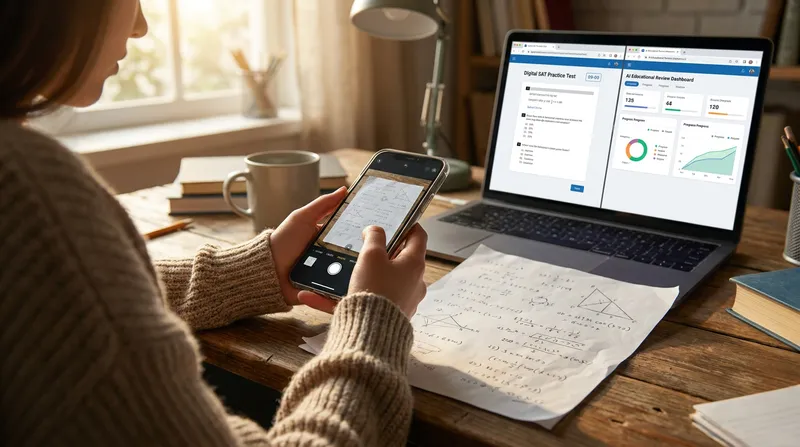
When looking for the best free SAT practice tests, you want to stick as closely to the official source as possible. Third-party tests from generic prep companies often fail to accurately mimic the new adaptive format of the exam. The gold standard for your prep is the official College Board Bluebook app.
According to the College Board, the creators of the test, and their official prep partner Khan Academy, students who use official prep materials for 20 or more hours see an average score increase of 115 points.
Here is how to get started:
- Download the Bluebook App: Go to the official College Board website and download the Bluebook application. This software contains full-length, official practice tests that use the exact same interface you will see on test day.
- Use Khan Academy for Drills: Khan Academy offers targeted practice problems that are officially aligned with the new digital format.
- Avoid Unofficial Mock Tests: Many websites offer a "digital sat mock test online" that does not use the proper adaptive algorithm. Stick to Bluebook for your full-length practice.
Actionable Tip: Have your student download the Bluebook app on the exact device they will use on test day. This helps them get comfortable with the screen size and keyboard, avoiding any technical surprises on the morning of the exam. For more budget-friendly prep options, read our post on Skip the $1,000 Bootcamps: Best Free SAT Prep Courses Online (2026 Guide) | Tutor AI Blog.
How to Simulate Real Testing Conditions at Home
Taking a college board SAT practice test while lounging on the couch with the TV on will not give you an accurate baseline score. To get the most out of your practice, you must simulate the strict conditions of the real exam.
The digital SAT is shorter than the old paper version, clocking in at exactly 2 hours and 14 minutes. It consists of a Reading and Writing section followed by a Math section, with a short break in between.
Here is a checklist to help parents and students set up a distraction-free testing environment:
- Clear the Desk: Remove all clutter, notebooks, and scratch paper, except for the allowed blank sheets for math work.
- Remove Phones: Place smartphones in another room. The real test is strictly device-free (other than your testing laptop or tablet).
- Use Proper Lighting: Ensure the room is well-lit to prevent eye strain during the two-hour screen session.
- Master the Calculator: The Bluebook app features a built-in Desmos graphing calculator. Practice using this specific on-screen tool, as mastering it is critical for speed on the math section.
Actionable Tip: Use a physical timer located outside the testing room for breaks. This mimics the strict proctoring of the real exam and prevents the student from checking their phone during the break. If you need to review math problems on a computer later without distractions, check out No Phone Allowed? How to Use a Scanner Math Solver Online (Chromebook & PC) | Tutor AI Blog.
The Core Problem: When Official SAT Practice Test Answer Explanations Fall Short
Once the practice test is over, the real work begins. However, this is exactly where most students hit a massive roadblock. You pull up the SAT practice test answer explanations provided by the College Board, and they are incredibly frustrating to read.
A typical official explanation might say, "Divide both sides by X to find the slope," without ever explaining where "X" came from in the first place. When math explanations skip steps, students freeze. They cannot connect the dots between the problem and the final answer, which causes them to panic when they see a similar question in the future.
This lack of clarity is a huge issue for an adaptive SAT practice test. If you do not understand the foundational concepts, the adaptive algorithm will keep feeding you questions you are not prepared to answer.
Actionable Tip: Never just read an explanation, nod your head, and move on. If you cannot recreate the math steps completely from memory on a blank piece of paper, you do not truly understand it yet. If word problems are causing you to freeze up, you might find our guide helpful: Why your child freezes on math word problems (and how an AI math word problem solver helps) | Tutor AI Blog.
How to Review Your SAT Practice Test Results Using AI
When official explanations leave you in the dark, AI SAT prep tools can light the way. Research from Stanford University highlights that AI tools can scaffold student practice through adaptive hints, guiding questions, and step-by-step reasoning support. This is exactly what you need to review your practice tests effectively.
Instead of staying stuck, you can use a tool like Tutor AI to break down the exact problem you missed into simple, digestible steps. Here is a step-by-step workflow for reviewing your missed questions:
- Identify the Mistake Type: Categorize your missed questions into two buckets. Was it a "Careless Error" (like rushing and misreading a plus sign as a minus) or a "Content Gap" (like completely forgetting the quadratic formula)?
- Snap a Photo: For the content gaps, open the Tutor AI app on your phone and take a picture of the confusing Bluebook math question on your computer screen.
- Review the Steps: Read through the AI-generated step-by-step breakdown. Tutor AI will show you exactly how to move from point A to point B without skipping the crucial middle steps.
- Log and Track: Instead of manually tracking everything, use Tutor AI's saved history and progress tracking features to automatically build your personalized study deck.
- Reattempt the Problem: Close the AI explanation and try to solve the problem again from scratch on blank paper. If you can do it independently, it is truly learned.
Actionable Tip: Review your saved history in Tutor AI the night before your next practice test to ensure you do not repeat the same mistakes. For more tips on using scanner apps responsibly, read How to Help Your Child With Math Homework Using a Scanner App (Without Cheating) | Tutor AI Blog.
Cost-Effective AI SAT Prep vs. Expensive Private Tutors
Many parents assume that if their child is struggling to improve their SAT score, the only solution is to hire a private tutor. While human tutors are wonderful, they are also incredibly expensive and typically only available for one hour a week.
AI SAT prep offers a highly cost-effective alternative. According to Discovery Education, adaptive AI programs analyze student work and adjust difficulty instantly, offering explanations exactly when students need them.
When a student is reviewing a test at 11 PM on a Sunday, a private tutor is not there to help. Tutor AI is available 24/7, providing instant feedback right in the moment of struggle. It even features offline capability, allowing students to review missed questions anywhere. Furthermore, Tutor AI provides parents with real-time progress reports and activity monitoring, a meaningful advantage over private tutors who rarely offer real-time dashboards.
Actionable Tip: Parents can use an AI math solver as a first line of defense to solve 80 percent of a student's questions. You can then reserve expensive human tutoring only for deep, persistent learning blocks. Not sure which technology fits best? Read our comparison: AI Math Tutor vs. Math Problem Solver AI: Which Tool Does Your Child Actually Need? | Tutor AI Blog.
Building Your Ultimate Digital SAT Math Study Stack
You do not need to spend thousands of dollars to get a great SAT score. You just need the right tools and a consistent routine. By combining the official resources with smart AI assistance, you can create a powerful study system.
Your ideal free or low-cost study stack should look like this:
- Testing: The College Board Bluebook App for full-length, adaptive practice tests.
- Drilling: Khan Academy Digital SAT prep for topic-specific practice.
- Reviewing: Tutor AI for instant, step-by-step breakdowns of the math questions you missed.
- Monitoring: Tutor AI's parent dashboard to track weekly review sessions and monitor progress.
Actionable Tip: Set a strict weekly schedule. For example, take a full practice test on Saturday morning, and spend Sunday afternoon doing an AI-assisted review of every single missed question. Consistency builds confidence. For a deeper dive into this exact routine, check out The Ultimate Free Digital SAT Math Study Stack: Khan Academy + AI Math Solver | Tutor AI Blog.
Frequently Asked Questions
Are the College Board Bluebook practice tests accurate?
Yes. Bluebook tests are created by the makers of the SAT. They use the exact same adaptive testing algorithm and interface you will see on test day, making them the most accurate diagnostic tool available.
How many full-length digital SAT practice tests are available for free?
Currently, the College Board offers six official, full-length digital SAT practice tests for free through their Bluebook application. They periodically release new tests, so keep your app updated to access the latest materials.
Can I use an AI math solver on the actual SAT?
No. Phones and external AI tools are strictly prohibited during the real exam. AI tools should only be used during your study sessions at home to help you understand the core concepts and review missed questions.
Why is my SAT score not improving even though I take practice tests every week?
Taking tests only builds endurance. Score improvement comes from the review process. If you are not spending at least as much time reviewing your missed questions as you did taking the test, you will likely repeat the same mistakes.
What is the best way to review SAT math practice test answer explanations?
Do not just read the explanation. Try to solve the problem again from scratch. If the official explanation skips steps and leaves you confused, use a photo-solving AI app like Tutor AI to break the math down into simple, manageable steps.
Taking a free digital SAT practice test at home is a fantastic first step. But remember, the real magic happens when you sit down, face your mistakes, and learn the steps to solve them. You've got this, and we are here to help you learn for real.
Ready to turn your missed questions into higher scores? Download Tutor AI free on iOS and Android and start your first AI-assisted review session today!
Note: Every student learns differently. While these strategies are research-backed, results may vary. Adapt these techniques to fit your unique learning style and circumstances.