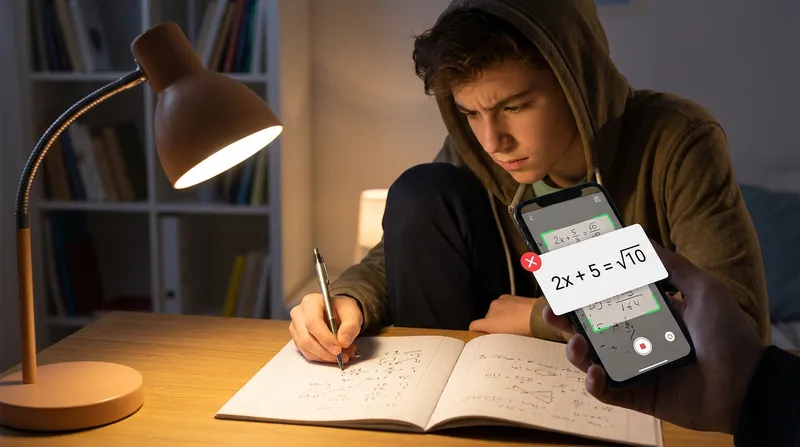
It is 10 PM on a Tuesday. You or your child are struggling with a messy, complicated handwritten algebra problem. Frustrated and tired, you take out your phone, snap a picture using a popular math scanner, and immediately get a perfectly formatted, step-by-step solution. You breathe a massive sigh of relief, copy the steps onto your paper, and turn the assignment in the next day.
Then, the homework comes back with a giant red "X" across the page.
What exactly happened? The app misread a crucial detail in your handwriting, perhaps mistaking a tiny exponent for a regular number, or missing a negative sign entirely. But instead of telling you it could not read the image, the app confidently generated a completely wrong step-by-step solution based on its flawed scan.
This is the core pain point millions of students and parents face every single night: the "confident but wrong" AI phenomenon. Students scan a messy handwritten equation, the app hallucinates the wrong numbers, and the student copies the flawed logic. The result? The student fails the assignment and feels even more confused because the AI looked so incredibly certain of itself.
In this comprehensive guide, we will explore exactly why popular apps struggle with handwriting, the technical reasons behind these failures, and how to find an accurate AI math solver that actually works for your family.
The Problem with Confident But Wrong AI Answers
When a standard math solver app misreads a problem, it rarely pauses to say, "I am not sure what this number is." Instead, it proceeds with absolute, unwavering certainty. This creates a dangerous psychological trap known as the Illusion of Competence.
Perfectly formatted step-by-step solutions trick students into trusting a fundamentally wrong answer. Because the output looks professional, academic, and logically structured, students assume the math must be correct. They stop questioning the process and simply transcribe the steps.
This illusion hurts learning in several ways:
- It destroys academic confidence when the student eventually fails the test.
- It causes severe friction between parents and students who argue over why the homework was marked wrong despite using a "smart" app.
- It teaches incorrect mathematical logic, embedding bad habits that are incredibly difficult for teachers to untrain later in the school year.
If you want to avoid this trap, you need to understand that not all AI is created equal. Many popular tools are designed to give you a fast answer rather than a correct one, which is exactly why quick-fix math solvers fail students.
Actionable Tip: Always do a quick "sanity check" on the very first step the AI generates. Compare the app's digitized version of the equation directly to your handwritten notes. If the app missed a negative sign or changed a fraction, stop immediately and rescan.
Why Do Math Scanners Misread Handwriting?
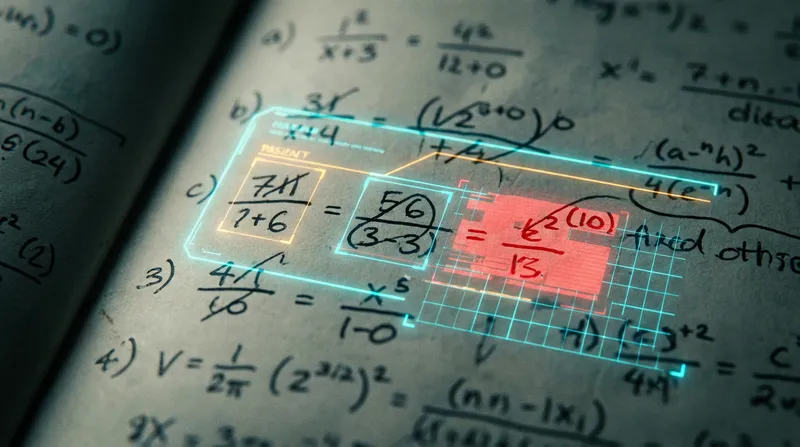
To understand why your favorite app keeps failing, we have to look at the technology behind it. Most scanner apps use Optical Character Recognition (OCR) to read text. However, handwritten math introduces a massive technical hurdle known as the OCR Spatial Problem.
Standard OCR is built to read one-dimensionally, moving from left to right, just like you are reading this sentence. But mathematics is two-dimensional. It relies heavily on spatial formatting, such as fractions stacked on top of other fractions, exponents floating in the top right corner, and subscripts dropping below the baseline.
According to research on handwritten expression recognition from The Computer Vision Foundation, standard sequence-based decoding methods struggle immensely to model the inherent nested hierarchical structures of handwritten math. When standard OCR tries to read a stacked fraction, it often flattens it out, completely destroying the mathematical meaning.
Furthermore, many modern apps rely on Large Language Models (LLMs) to generate their answers. These models are built for writing essays, not doing math. As noted by Scoop Analytics, language models treat numbers as text tokens rather than mathematical values. This means they predict the most plausible next token instead of calculating the exact deterministic answer. They are essentially guessing what a math answer should look like rather than doing the actual arithmetic.
Actionable Tip: Write your fractions vertically (with one number directly above the other and a flat line between them) rather than using a slanted diagonal slash. This simple change helps scanners read your math much more accurately.
Photomath vs. Mathway vs. Competitors: Where Do They Fail?
If you have searched for a math solver that reads handwriting, you have likely downloaded one of the major competitors. While these apps have their uses, they all have significant blind spots when it comes to messy handwriting. Let us break down where our direct competitors fall short, and where they actually succeed.
Photomath Wrong Answers and Paywalls
Photomath is excellent at scanning printed text from a textbook. However, its OCR frequently misreads complex handwriting, especially nested fractions and tiny exponents. When it misreads your handwriting, it confidently solves the misread problem without flagging any uncertainty to the user. Even worse, it locks the most valuable, detailed step-by-step explanations behind a premium paywall, leaving free users with just the final answer. For a better option, check out the best free math solver apps with steps.
Mathway Misreading Problem
Mathway features a clean, intuitive calculator interface for manual input, which is fantastic for typing equations. But its camera scanning is notably less accurate than competitors when dealing with messy handwriting. It particularly struggles with double negatives and complex trigonometric identities. Like Photomath, Mathway gates the actual learning steps behind a subscription, forcing you to pay if you actually want to learn the material.
Brainly Inaccuracies
Brainly offers a massive, helpful community for general questions and peer-to-peer support. While this sounds great in theory, it results in a high rate of inaccurate answers from unverified community members. The AI explanations are often too vague for complex, multi-step math concepts. If you are worried about the safety, accuracy, and cheating risks of community platforms, it is important to supervise its use.
Caktus AI Limitations
Caktus AI is an academic-focused AI that handles writing and theory exceptionally well. However, its math solving accuracy is inconsistent compared to dedicated math logic engines. It lacks a dedicated, highly accurate OCR camera specifically trained for messy handwritten math, and it enforces a hard paywall with no free preview.
Chegg Expense and Risks
Chegg offers an incredible database of verified textbook solutions and expert Q and A. However, it relies on a very expensive monthly subscription model. Furthermore, it poses a high risk of academic integrity violations if teachers reverse-search the platform. It is simply not designed for instant OCR handwriting scanning and quick on-the-go solving.
Actionable Tip: If a math app gives you a highly irregular, ten-digit decimal for a standard middle school algebra problem, it almost certainly misread your handwriting. Stop and recalculate!
How OCR Technology Struggles with Complex Math Formatting
The difference between reading a paragraph of text and reading a math equation is monumental. When standard OCR tries to process math, it fails in very specific, predictable ways.
As explained by Axiom Notes, standard OCR models math linearly. This causes the software to flatten fractions, misread superscripts as adjacent characters (turning x-squared into x-times-two), and collapse matrices into unreadable sequences of random numbers.
Additionally, research published on arXiv highlights why models need to understand the structural syntax of equations. Without structural awareness, AI models make frequent syntactical errors, such as mismatched brackets, misaligned exponents, and dropped Greek symbols.
This technological failure is incredibly obvious from the teacher's perspective. Educators can easily spot when a student used an AI scanner that hallucinated a misread variable. The student's paper will show a bizarre, mathematically impossible leap in logic that no human would ever naturally make. The teacher instantly knows the student used a flawed app, leading to awkward conversations and lost grades.
Actionable Tip: Leave clear, distinct spaces between your mathematical operators (like plus and minus signs) and your numbers. Crowding your symbols together is the number one reason OCR fails to parse your equations.
The Best Accurate AI Math Solver for Messy Handwriting
If standard OCR fails and language models cannot do math, what is the solution? This is exactly the problem Tutor AI was built to solve, by combining specialized handwriting OCR with a deterministic math engine rather than a generic language model.
Our core philosophy is simple: Snap. Solve. Learn.
Tutor AI is designed to be the ultimate AI math homework helper, specifically engineered to overcome the flaws of older apps. Here is why it stands out for students and parents:
- Advanced Handwriting OCR: Unlike generic text scanners, Tutor AI's image recognition is trained specifically on messy, real-world student handwriting. It understands spatial formatting, meaning it correctly identifies nested fractions, floating exponents, and complex calculus limits.
- True Learning Focus: We do not just give you the final answer. Every problem receives detailed, step-by-step explanations showing the complete solving process. We explain the "why" behind the math, fostering genuine understanding.
- Comprehensive Family Ecosystem: We provide detailed analytics and reporting for parents. You can monitor your child's learning progress, identify struggling areas, and celebrate their improvements without having to hover over their shoulder during study time.
- 24/7 Availability: Whether it is 3 PM or 3 AM, Tutor AI is available round-the-clock. It also allows you to access your previously solved problems and saved content even without an internet connection, so late-night study sessions are never interrupted.
- Personalized Learning Paths: Tutor AI analyzes student performance to identify weak spots and provides targeted practice. It adapts to individual student needs, making it one of the best AI tutoring apps for step-by-step explanations.
If your high schooler is taking advanced STEM classes, they need a tool that will not buckle under the pressure of complex formatting. Learn more in our guide on the top problem solvers for high school STEM classes.
Actionable Tip: After getting a step-by-step solution from Tutor AI, do not just copy it. Cover the screen, try solving the next similar problem on your own using the same methodology, and then use the app to check your work.
Best Practices for Scanning Handwritten Math Problems
Even with the best math scanner app accuracy, you can take practical steps to ensure you get the most out of your AI homework helper. If you want to learn how to use AI for active homework practice, you need to set yourself up for success.
Here are the best practices for taking photos of your math homework:
- Perfect Your Lighting: Shadows are the enemy of OCR. When you take a photo, make sure the light source is in front of you, not behind you. If your shadow falls across the paper, the AI might mistake a shadow line for a division bar or a minus sign.
- Mind Your Angles: Do not take photos from a tilted angle. Hold your phone directly parallel to the paper. Tilted angles distort the spatial formatting, making exponents look like regular numbers.
- Differentiate Your Variables: Messy handwriting is fine, but ambiguous handwriting is a problem. Make sure your letter "t" has a curve at the bottom so it does not look like a plus sign. Cross your letter "z" so it does not look like the number 2. Make your number "5" distinct from the letter "S."
- Isolate the Problem: If your page is crowded with doodles, margin notes, and crossed-out mistakes, the scanner will get confused. Zoom in or crop the photo so the app only sees the specific equation you want to solve.
Actionable Tip: Turn on your phone's flashlight when scanning in a dimly lit room. The direct flash eliminates ambient shadows and provides the high contrast the OCR engine needs to accurately read your pencil marks.
Frequently Asked Questions
Why does Photomath give me the wrong answer? Photomath often gives wrong answers on handwritten work because its standard OCR technology struggles with spatial formatting. It frequently flattens fractions or misreads exponents, and then confidently solves the wrong equation without warning you.
Is there a math scanner that can accurately read messy handwriting? Yes. Tutor AI uses advanced computer vision specifically trained on real-world, messy student handwriting. It understands the vertical and horizontal spatial relationships in complex equations better than standard text-based scanners.
Why do AI math solvers struggle with complex word problems? Standard AI math solvers struggle with word problems because they lack contextual understanding. They try to extract numbers without understanding the real-world logic behind the text. Tutor AI combines natural language processing with a logic-based math engine to accurately break down and solve complex word problems.
Why is AI so bad at math? Standard language models treat numbers as text tokens rather than mathematical values. Instead of calculating a deterministic answer, they predict the most plausible next token based on their training data. This is why they often fail at basic arithmetic or hallucinate steps in complex algebra.
Can teachers tell if you use a math solver? Yes, teachers can easily spot AI-generated math solutions. When a scanner misreads a handwritten problem, it creates a mathematically impossible leap in logic that no human student would naturally make. Furthermore, AI often uses advanced, convoluted methods to solve simple problems, which is a massive red flag for educators.
How do I use AI math solvers without cheating? To use AI for active learning rather than cheating, use the app to check your work after you have attempted the problem yourself. If you are completely stuck, scan the problem, study the step-by-step explanation, cover the screen, and then try to solve the next similar problem on your own using the same methodology.
Stop Guessing and Start Learning
Homework stress is hard enough without having to fight with an app that confidently feeds you the wrong answers. When math scanners misread handwriting, they do more than just give you a bad grade; they damage your academic confidence and cause unnecessary late-night anxiety.
You deserve a multi-step math problem solver that actually understands your handwriting, explains the concepts clearly, and supports your long-term educational growth.
Ready to experience the difference of an accurate AI math solver? Download Tutor AI today. Snap a picture of your toughest problem, get instant, accurate step-by-step solutions, and finally start learning with confidence. Snap. Solve. Learn.
Disclaimer: Every student learns differently. While these strategies are research-backed, results may vary. Adapt these techniques to fit your unique learning style and circumstances.