
From Homework Battles to Breakthroughs: A Parent's New Playbook
The scene is all too familiar: it's 9 PM, the kitchen table is a battlefield of textbooks and worksheets, and tensions are high. You're trying to help your child with their math homework, but the methods look nothing like what you learned in school. Frustration mounts for both of you, and what should be a learning moment quickly devolves into a nightly homework battle. You feel helpless, your child feels defeated, and the stress is palpable.
If this sounds like your evening routine, you are not alone. Many parents struggle with how to help their child with homework, especially as subjects become more complex. This guide is your new playbook. Instead of another generic list of apps, this is a strategic plan for how to use homework technology to reduce stress, build your child's confidence, and foster true independence. We'll show you how to turn these powerful tools into an ally for learning, not an enemy to be feared, and finally restore peace to your home. For specific strategies on tackling unfamiliar teaching methods, check out our Parent's Guide to New Math.
Are Homework Helper Apps Cheating? Reframing the Debate
Let's address the biggest fear head-on: are homework helper apps just a high-tech way to cheat? It's a valid concern. When a student can simply snap a photo of a problem and get an instant answer, the line between learning and cheating can feel blurry. However, the problem isn't the tool itself-it's how the tool is used.
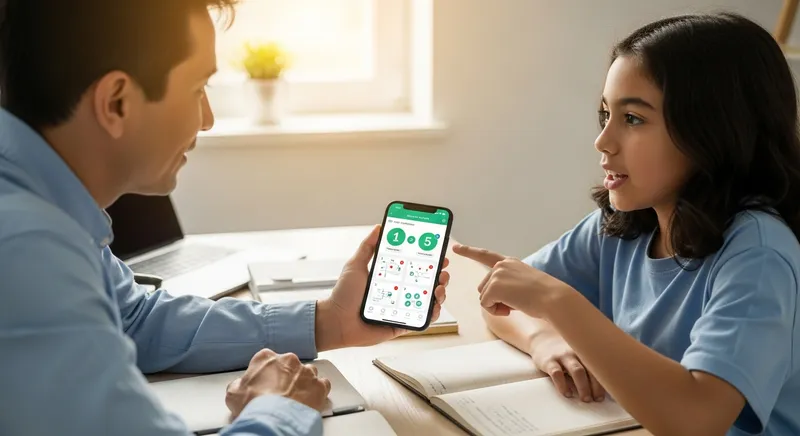
Think of it this way: giving a student a calculator isn't cheating; it's a tool that lets them focus on more complex problem-solving. Similarly, a quality homework app can be a powerful learning aid. The key is shifting the goal from passive cheating (simply copying the final answer) to active learning (using the tool to understand the process). Leading academic institutions are embracing this idea, with guidance from places like NYU's Steinhardt School emphasizing that transparency and proper use are central to academic integrity. The most important lesson you can teach your child is how to use these tools with honesty and the intent to learn, a skill they will need throughout their academic and professional lives. To help your child understand this distinction, share our Student's Guide to AI Word Problem Solvers: Learn, Don't Cheat.
Now that we've established that homework apps can be powerful learning tools when used correctly, let's talk about exactly how to make that happen in your home. It requires a deliberate approach.
The Parent's Framework: How to Use Homework Apps Effectively
Transforming a homework app from an answer key into a private tutor doesn't happen by accident. We've developed a simple, three-step framework for parents to guide their children toward using these tools responsibly and effectively. This method puts you in the driver's seat as a supportive coach.
- Set Boundaries
- Guide the Process
- Review for Understanding
Let's break down each step.
Step 1: Set Clear Boundaries with a Homework Tech Agreement
Before your child even opens an app, it's crucial to establish clear ground rules. The best way to do this is by creating a simple "Homework Tech Agreement" together. This isn't about being restrictive; it's about setting clear expectations for a productive homework routine. As the U.S. Department of Education notes in its digital learning guide for parents, your involvement is key to creating a positive learning environment. Your agreement can be as simple as these three core rules:
-
Rule #1: Problem First, App Second. Your child must always attempt the problem on their own first. This ensures they engage in critical thinking and don't immediately turn to the app as a crutch. The app is for when they are truly stuck, not for every problem.
-
Rule #2: Explain, Don't Just Answer. The primary purpose of using the app is to understand the step-by-step process. Make it clear that you expect them to be able to explain how the answer was reached, not just what it is.
-
Rule #3: Device-Free Zones and Times. To avoid digital distractions, designate specific times and places for homework. This might mean devices are only used at the kitchen table between certain hours and are put away during dinner and family time.
Pro-Tip: Distractions are a major homework derailer. Consider an app like TutorAI that has an offline mode, allowing your child to focus on their work without the temptation of the open internet, notifications, and social media.
Step 2: Guide the Process - Be a Coach, Not a Cop
With clear boundaries in place, your role shifts to that of a learning coach. Instead of just monitoring for cheating, you actively guide your child on how to use the app as a teaching tool. When your child gets stuck on a problem and turns to an app, sit with them and engage in the process.
Use this as an opportunity to have a conversation. Ask powerful questions that promote understanding:
- "Okay, the app showed the solution. Can you explain step two to me in your own words?"
- "It looks like the app gave three different ways to solve this. Which one makes the most sense to you and why?"
- "Let's look at where your work differs from the app's first step. What do you think happened?"
This approach aligns with guidance from educational technology leaders like the ISTE (International Society for Technology in Education), which advocates for using AI to support, not replace, human interaction and learning. By guiding them, you are fostering student independence and teaching them how to learn from technology, a critical skill for building academic confidence. This method works especially well when paired with powerful study techniques like those in our guide to Acing STEM with Active Recall and Spaced Repetition.
Step 3: Review for Understanding - Monitoring That Matters
Effective monitoring isn't about catching your child cheating; it's about confirming they are learning. Shift your focus from, "Is your homework done?" to, "What did you learn while doing your homework?" This changes the entire dynamic of your involvement. Research from organizations like Digital Promise highlights the importance of keeping humans at the center of AI in education, and this is where you play a vital role.
Many modern learning apps offer progress-tracking features. Use tools like the TutorAI Parent Progress Dashboard to have productive conversations. Instead of saying, "I see you used the app a lot," try saying, "I noticed in your progress report that you spent a lot of time on problems with fractions. Let's review that concept together."
Here are more questions you can ask while reviewing their work or dashboard:
- "Can you teach me how to do this type of problem now?"
- "Where did you get stuck before using the app?"
- "What would happen if we changed this number in the original problem?"
- "Which part of the explanation was the most helpful for you?"
This form of monitoring builds trust and shows you care about their learning journey, not just the final grade.
Red Flags: When App Use Becomes a Problem Be mindful of warning signs that the app is being used as a crutch, not a tool:
- Grades are dropping despite homework being complete.
- They can't explain their work when you ask them to walk you through a problem.
- App usage is secretive or they get defensive when you ask about it.
- They finish complex assignments in an unrealistically short amount of time.
Choosing the Right Tool for Your Family
Not all homework apps are created equal. Some are little more than answer engines, while others are designed to be genuine learning partners. When evaluating an app, look for features that promote the active learning framework we've discussed. According to Common Sense Media, a trusted non-profit, it is vital to find apps that encourage constructive learning, not just provide answers.
Here is a checklist of what to look for:
- ✅ Step-by-Step Explanations: Does the app show its work, explaining the 'why' behind the answer?
- ✅ Multiple Methods: Does it offer different ways to solve a problem, catering to various learning styles?
- ✅ Progress Tracking: Can you and your child see their progress and identify weak spots?
- ✅ Concept Exploration: Does it offer practice problems or links to foundational concepts?
TutorAI was specifically designed with all these features because we believe that the best technology empowers students to learn for themselves. To see how different tools stack up, explore our list of the 11 Best AI Math Tutors of 2024.
Your Partner in Learning
By embracing homework technology with a clear strategy, you can transform it from a source of conflict into a catalyst for confidence and independence. The nightly homework battles can end. By setting boundaries, guiding the process, and reviewing for understanding, you empower your child to become a more resourceful and resilient learner.
You don't have to be a math whiz to help your child succeed. You just have to be their coach. Remember those 9 PM homework battles? They don't have to be your reality.
Transform homework time from stress to success. Download TutorAI today and start building a more peaceful and productive learning journey for your family.
Frequently Asked Questions
How is TutorAI different from just googling answers?
Googling often leads to a single answer without context, or worse, confusing and untrustworthy sources. TutorAI is designed for learning. It provides verified, step-by-step explanations, shows multiple problem-solving methods, and helps identify the specific concept you're stuck on. It's the difference between being given a fish and learning how to fish.
At what age is it appropriate to introduce homework helper apps?
This is less about a specific age and more about your child's maturity and ability to understand and follow rules. A good starting point for many families is middle school, where problems become more complex. At this stage, it's essential to use the app together, applying the framework in this guide. As your child demonstrates responsible usage and understands the goal is learning, you can gradually grant more independence through high school.
Is it cheating if my kid uses Photomath to check their answers?
No, using an app to check already completed work is an excellent way to use the tool for learning. It provides the immediate feedback that is crucial for reinforcing concepts correctly. The cheating line is crossed when the app is used to get the answer before making a genuine effort to solve the problem. Your family's 'Homework Tech Agreement' should make this distinction clear.
How can I trust my child is using the app correctly when I'm not in the room?
Trust is built through process and consistency, not surveillance. Start by using the app together to establish good habits. The 'Homework Tech Agreement' sets the expectations, and your non-judgmental reviews of their progress show that you're an engaged partner. Over time, this builds the mutual trust needed for them to work independently. You can always do a quick spot-check by asking, "That was a tough problem, can you walk me through how you solved it?"
What if my child's teacher has a 'no apps' policy?
You should always respect the teacher's policies for graded assignments. A 'no apps' rule means that work submitted for a grade must be done without this type of assistance. However, this doesn't mean the apps have no value. You can still use them as a study tool for reviewing concepts before a test or working through extra, non-graded practice problems. Communication is key, and as the National Education Association (NEA) encourages, a strong parent-teacher partnership is essential for navigating new technology. A tool like TutorAI's parent dashboard can even help you track which concepts need review, making it easier to support test prep without violating classroom policies.
My child gets very defensive when I ask about their app usage. What should I do?
Defensiveness often comes from feeling accused. It's crucial to lead with empathy and approach the conversation as a supportive coach, not a police officer. Avoid accusatory language like, "Were you cheating?" Instead, try a collaborative approach: "I want to make sure these tools are actually helping you learn and not just adding more stress. Can we look at this together to see if it's working?" Reassure them that you're on their team and your only goal is to help them succeed.