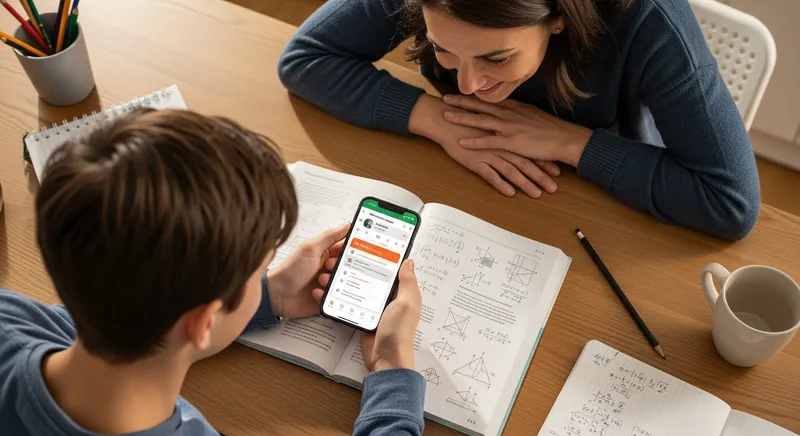
You see your child hunched over their math homework, phone in hand. The question that flashes through every parent's mind is: Are they actually learning, or are they just cheating? In the age of powerful AI homework helpers, this is the core concern that keeps parents and educators up at night. With apps like Photomath becoming a classroom staple, it's hard to know if technology is a helpful tutor or a high-tech shortcut to getting answers without understanding.
This fear isn't unfounded. A recent survey by the RAND Corporation found that while 62% of students use AI for homework, 67% of those same students worry it will harm their critical thinking skills. They know the risk, and so do you. But what if an app could provide the help your child needs while giving you the peace of mind that they are genuinely learning?
This guide will break down the two biggest names in the game: the well-known Photomath and the learning-focused contender, TutorAI. We'll go beyond a simple feature list to help you decide which app is truly better for building lasting math confidence for your child.
The Big Question: Are Math Apps for Learning or Cheating?
Before we compare apps, let's tackle the biggest issue. The knee-jerk reaction for many schools and parents is to ban these tools. However, leading experts in education technology advise against this. The International Society for Technology in Education (ISTE) warns that banning AI might actually widen the digital divide, as not all students have equal access to these tools at home. The goal isn't to prevent access, but to teach responsible use.
The U.S. Department of Education's report on AI and the Future of Teaching advocates for a "Humans-in-the-Loop" approach, where AI assists, but doesn't replace, the learning process. This is where the design of the app becomes critical. According to the National Council of Teachers of Mathematics (NCTM), technology is an essential tool that, when used strategically, can "deepen learner understanding" and "increase mathematical proficiency."
Actionable Tip for Parents: Frame these apps as a tool for understanding, not just answering. Tell your child, "This isn't a magic answer key; it's a calculator that shows you how it got the answer. Your job is to understand the 'how'."
Photomath vs. TutorAI: A Quick Comparison
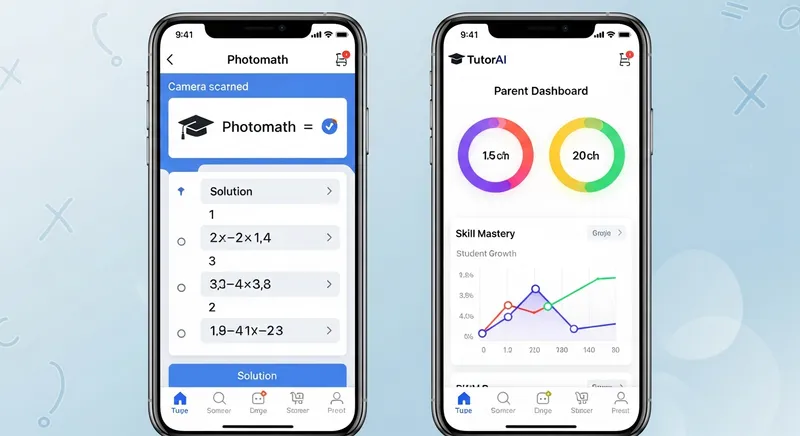
At a glance, both apps let you snap a picture of a math problem and get a solution. But their core philosophies and features reveal a significant difference in their goals.
| Feature | Photomath | TutorAI |
|---|---|---|
| Photo Problem Solving | ✅ Fast & Accurate | ✅ Fast & Accurate (including word problems) |
| Step-by-Step Solutions | ✅ Yes | ✅ Yes, with concept explanations |
| Personalized Learning | ❌ No | ✅ Identifies weak spots & creates practice plans |
| Parent Dashboard | ❌ No | ✅ Track progress & identify struggles |
| 24/7 Availability | ✅ Yes | ✅ Yes |
| Offline Functionality | ❌ Requires Connection | ✅ Yes, for continued learning anywhere |
Feature Showdown: Comparing What Matters for Learning
Let's move beyond the marketing and compare the features that directly impact a student's ability to learn and retain math concepts. A systematic review of 50 studies from UCL found that math apps can provide promising support for learning, but the way they teach matters.
Problem Solving (The "Snap")
- Photomath: Excels here. Its camera is fast and accurate for both printed and handwritten problems. It's the industry standard for a reason.
- TutorAI: Also features fast, accurate photo-based solving. It can handle everything from basic arithmetic to complex calculus, including word problems which are often a challenge for other apps.
Step-by-Step Explanations (The "Solve")
- Photomath: Provides clear, linear steps to get to the answer. The free version gives you the basic path, while Photomath Plus unlocks deeper, more detailed explanations and animated tutorials.
- TutorAI: Goes a step further by not just showing the what but explaining the why. Explanations are designed to teach the underlying concepts. For many problems, it can show multiple methods, helping students see that there's often more than one way to solve a problem. This is critical for developing flexible problem-solving skills.
Actionable Tip for Parents: After your child uses the app to solve a problem, ask them to explain the steps back to you in their own words. This simple act of teaching solidifies their understanding.
Pedagogical Approach (The "Learn")
This is where the two apps diverge most significantly.
- Photomath: Its approach is largely direct instruction. It shows you the path. This is effective for students who just need to see a worked example to understand their mistake.
- TutorAI: Employs a personalized learning model. The app analyzes a student's performance to identify weak spots and then provides targeted practice to help them improve. This adaptive approach ensures students are building a solid foundation and not just moving on after getting a single answer.
For context, other AI tutors like Khanmigo use a "Socratic method," constantly asking questions to guide the student. TutorAI's approach is a hybrid: it provides clear explanations but uses data to guide the student's long-term learning journey.
The Parent Dashboard: A Game-Changer for Families
This is the single biggest feature that competitors, including Photomath, are missing. It's a direct solution to the core pain point for parents. The fear of cheating comes from a lack of visibility, and TutorAI solves this.
"No more tears over math homework! I can see where my daughter is getting stuck without having to stand over her shoulder. This app has been a game-changer for our family." — Sarah, TutorAI parent (name changed to protect privacy)
TutorAI's parent dashboard allows you to:
- Track Progress: See how often your child is using the app and what topics they're working on.
- Identify Weak Spots: The app flags concepts they're struggling with, so you can have proactive conversations and offer support before they fall behind.
- Monitor for Understanding: See if your child is just snapping for answers or engaging with the explanations and practice problems. This visibility is crucial for ensuring the tool is used for learning.
For a child dealing with math anxiety, this feature is invaluable. It transforms the dynamic from conflict to collaboration.
Beyond Photomath: How TutorAI Compares to Other Alternatives
- TutorAI vs. Socratic by Google: Socratic is a great free tool, but it often acts more like a search engine, pulling resources from across the web. TutorAI provides its own consistent, expert-vetted explanations within a single, contained environment.
- TutorAI vs. Khanmigo: Khanmigo's Socratic method is excellent for curious learners but can be slow for a student who is frustrated and just needs a clear explanation first. TutorAI provides the direct explanation and then follows up with personalized practice.
- TutorAI vs. Brainly: Community-based platforms like Brainly can be a lottery of quality, with answers provided by other students. This can lead to inaccuracies and reinforces a copy-paste mentality. For a deeper look, check out our comparison: Brainly vs. TutorAI: Which App is More Accurate and Safer?
Pricing & Value: Is a Subscription Worth It?
- Photomath: Offers a robust free version. Photomath Plus is a subscription that unlocks animated tutorials and more in-depth explanations.
- TutorAI: Also has a free tier for instant, step-by-step solutions. The premium subscription unlocks unlimited questions, advanced progress reports, and the all-important parent dashboard.
The question of value comes down to your goal. If you want occasional answer-checking, a free app might suffice. However, if your goal is to invest in your child's understanding and reduce homework stress, the value becomes clear. A premium subscription often costs less than a single hour with a private tutor, yet provides unlimited, 24/7 personalized help.
How to Use Math Apps Responsibly
To get the most out of any math app, establish clear ground rules with your child:
- Try First: Always attempt the problem on their own before using the app.
- Focus on the 'How': The goal isn't the answer, but understanding the steps.
- Explain It Back: Encourage them to explain the solution process to you.
- Review Together: Use the TutorAI dashboard to check in on progress and offer support.
The Final Verdict: A Quick Decision Guide
So, which app is right for your family?
-
Choose Photomath if... your student is fairly confident, needs to quickly check answers, and has the self-discipline to use the explanations for learning, not just copying.
-
Choose TutorAI if... your student is struggling, lacks confidence, or you want to ensure they are truly learning. The personalized practice, concept-focused explanations, and parent dashboard make it the superior choice for building deep, lasting understanding.
-
For the Busy Parent Who Wants Peace of Mind: TutorAI is the undisputed winner. The 24/7 availability and parent dashboard provide the visibility and support that no other app on the market offers.
Frequently Asked Questions
Which math app is best for teaching concepts, not just giving answers?
TutorAI is designed specifically for this purpose. While Photomath is excellent at showing the steps to an answer, TutorAI focuses on the underlying concepts. It does this through personalized learning paths that identify a student's weak spots, provides detailed explanations of the 'why' behind the math, and offers targeted practice to ensure the concepts stick. This approach prioritizes deep understanding over quick answers.
How do I know if my child is using a math app to cheat?
This is a major concern for parents. The key is visibility and setting clear expectations. An app like TutorAI with a parent dashboard is invaluable here, as it allows you to see your child's activity, track their progress on different topics, and identify where they are struggling. This turns a black box of potential cheating into a transparent learning process you can support.
Is it worth paying for Photomath Plus or TutorAI Premium?
It depends on your goal. If your child only needs to occasionally check an answer, a free version may be enough. However, a premium subscription is worth it if you want to actively invest in their learning. Photomath Plus offers deeper, animated explanations. TutorAI's premium plan unlocks unlimited practice, advanced progress reports, and the parent dashboard, which provides peace of mind and actionable insights.
Which is better for advanced math like calculus: Photomath or TutorAI?
Both apps are capable of handling advanced mathematics, including algebra, trigonometry, and calculus. Photomath is well-regarded for its accuracy with complex problems. TutorAI also provides robust support for higher-level math, but its key advantage is its ability to break down these complex topics into understandable concepts and provide practice problems that build mastery. For a student who finds calculus intimidating, TutorAI's learning-focused approach can be more beneficial.
How does TutorAI compare to other free tools like Socratic by Google or Khan Academy?
TutorAI offers a more structured and integrated learning experience. Socratic by Google is an excellent resource finder, but it sends you to external web pages, leading to an inconsistent experience. Khan Academy provides fantastic video lessons, but its AI tutor, Khanmigo, uses a Socratic questioning method that can be slow for a frustrated student. TutorAI combines the instant answer of Photomath with its own expert-vetted explanations and a personalized practice system, all within one app.
Ready to transform homework time from stress to success?
Download TutorAI for free on iOS and Android and see the difference personalized learning makes.