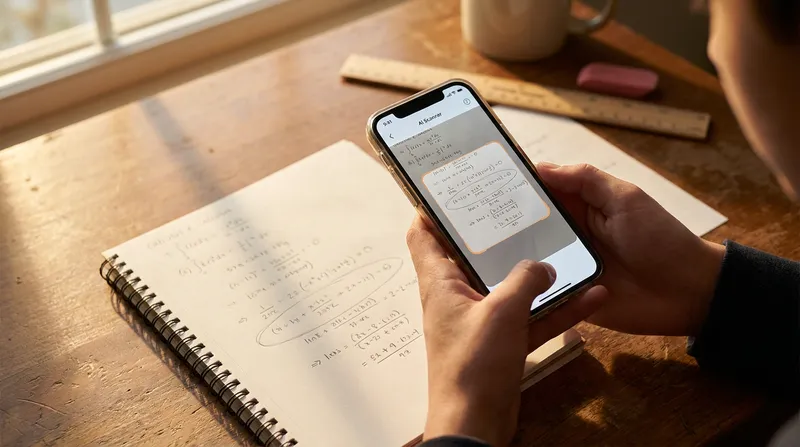
It is 9:45 PM. You actually did the work. Your notebook page has six careful lines of algebra or calculus, and you feel good about your answer until you check the back of the textbook (or hit submit on ALEKS or DeltaMath) and see a red X. You snap a photo with a standard math app hoping to see where you slipped, and instead it ignores your notebook completely and prints a brand-new solution using a method your teacher never taught.
So you are stuck comparing two totally different sets of steps, squinting to figure out which line broke, and wondering if you should just copy the final answer and go to bed.
Yes, AI can check your handwritten math work step by step and pinpoint the exact line where a mistake happened, as long as you use a workflow designed to audit your own steps instead of just generating a fresh solution. Whether you are a middle or high school student trying to fix a stubborn problem, a busy parent trying to help without remembering Algebra 2, or a tutor looking for better error diagnostics, this guide walks you through how handwritten AI checking actually works, where it quietly fails, and how to turn every wrong step into real mastery.
AI Math Checker vs. AI Math Solver: Why Copying Worked Solutions Backfires
Most families do not realize there is a huge difference between an AI math solver and a step-by-step error checker. Understanding that gap is the fastest way to stop wasting time on tools that hurt test scores.
A traditional math solver reads the original problem prompt, ignores whatever you wrote underneath, and calculates its own clean path to the answer. That approach is fine when you have zero idea how to start a new topic, or when you want to compare a textbook method side by side. If you are weighing popular solver apps, our breakdown of Mathway vs. Photomath vs. Tutor AI (2026) shows how different tools handle step explanations.
A line-by-line error checker works differently. It reads your handwritten steps first, checks whether Line 2 logically follows from Line 1 and whether Line 3 follows from Line 2, and flags the exact transition where the math broke.
Why does that distinction matter so much for grades? A landmark randomized field study of nearly 1,000 high school math students published in the Proceedings of the National Academy of Sciences compared students practicing with unguarded AI against students using a guarded Socratic AI tutor. During practice, unguarded AI boosted scores by 48%, while the guarded tutor boosted scores by 127%.
The real test happened when AI was taken away on the actual exam. Students who had leaned on unguarded answers scored 17% lower than students who never used AI at all, and most did not realize copying worked solutions was hurting their learning. Students who used the hint-based tutor largely avoided that drop, scoring about the same as students who never used AI.
What to do tonight (The Paper-First Rule): Before you open any app or upload a photo, write out at least your first full attempt on paper, even if you get stuck halfway down the page. When you scan your own attempt rather than a blank worksheet, you force the tool to work with your brain instead of replacing it.
How AI Reads Handwritten Math (and Where It Quietly Fails)
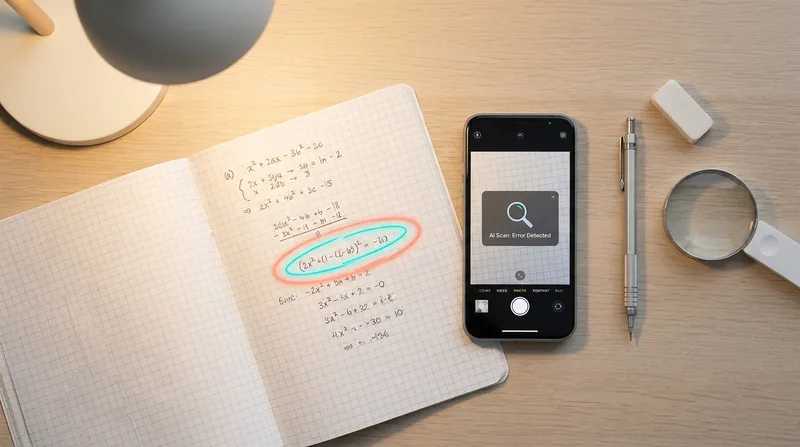
Before you trust any photo math checker to evaluate your steps, it helps to understand how the camera actually reads your page. Reading math is much harder than reading a normal paragraph of English. In regular text, letters sit in one flat horizontal line. In math, tiny shifts in vertical position change the entire meaning of an expression: a slightly raised 2 becomes an exponent, a slightly shortened fraction bar drops a term out of the numerator, and a slanted parenthesis looks like the number 1.
Modern vision-capable AI models use two connected stages: first they transcribe your handwritten image into structured math notation (similar to LaTeX), and second they evaluate the logic between lines. Here is the catch most apps never tell you: when an AI checker gets your homework wrong, the math engine is rarely the culprit. The camera misread your handwriting.
In an evaluation of vision-capable AI models grading photographic submissions of handwritten math presented at the International Conference on AI in Education (AIED 2026), researchers found that 87% of errors in the top-performing model were caused by handwriting transcription failures (blurry lighting, hallucinated symbols, or misreading equivalent forms) rather than flawed math grading. Similarly, the FERMAT handwritten math benchmark, which tested nine vision-language models across 2,244 handwritten math solutions spanning grades 7 to 12, found that the best model reached 77% error correction on handwritten pages, with accuracy jumping noticeably whenever handwriting noise was removed.
The Quiet OCR Failure Checklist
Watch out for these six handwriting collisions that cause silent misreads:
- x vs. multiplication sign: Write your variable
xwith gently curved backs (like two touchingcshapes) and use a crisp center dot or parentheses for multiplication. - 1, 7, and lowercase l: Add a tiny horizontal crossbar to your
7and write1as a clean straight stroke. - 2 vs. z: Put a short horizontal bar across the middle of your
zso algebra variables do not turn into the number2. - 5 vs. S and 9 vs. q: Square off the top of your
5and give lowercaseqa clear little tail. - 0, capital O, and theta: Avoid mixing letters and zeros without context, especially in trigonometry and physics.
- Ghosted pencil erasures: Heavy graphite smudges left behind after erasing are the number-one reason camera checkers hallucinate stray negative signs or exponents. Actionable fix: Instead of scrubbing hard with an eraser, draw one neat single line through a wrong step and start the corrected line directly underneath.
How to Check Handwritten Math Steps From a Photo: A 5-Step Line-by-Line Workflow
If you want to check handwritten math steps from a photo and pinpoint where you went wrong in algebra or precalculus, follow this five-step routine. It takes about 90 seconds and prevents almost every false alarm.
Step 1: Prep Your Page for the Camera
Frame one problem at a time so neighboring equations do not bleed into the scan. Write steps vertically down the page (one equals sign per line) rather than chaining three steps sideways across a margin. Hold your phone parallel to the paper under bright, even overhead light so your hand does not cast a dark shadow over the negative signs.
Step 2: Run the Mandatory Transcription Check
Never jump straight to the feedback. Look at the typed equation the AI read from your photo and compare it character by character against your notebook. Did it read -2(x - 4) or -2(x + 4)? Did it catch the squared exponent? If the transcription has even one wrong sign, fix that symbol first or retake the photo before reading any critique.
Step 3: Check Line-by-Line Equivalence
Think of every line of math work as a promise: Line N must be mathematically equal to Line N-1. When you ask an AI checker to inspect your page, look for the first line that breaks that promise.
Here is a classic Algebra 1 example:
- Line 1 (Given):
3x - 2(x - 4) = 15 - Line 2 (Student):
3x - 2x - 8 = 15 - Line 3 (Student):
x - 8 = 15 - Line 4 (Student):
x = 23
Notice something important here. Lines 3 and 4 are actually done accurately based on Line 2. A bare answer key just says "Wrong, the answer is 7," leaving you thinking you do not understand equations at all. A line-by-line check isolates the exact break between Line 1 and Line 2: multiplying -2 by -4 equals +8, not -8. Everything after that was just a single sign slip carried forward.
Step 4: Use the Two-Line Test Value Trick When AI Disagrees With You
What if an AI checker flags a line you think is right, or misses a subtle mistake in a long expression? You can verify any two consecutive algebraic lines yourself in ten seconds without any app at all.
Pick a simple test number like x = 1 or x = 2 (avoid 0 because multiplying by zero hides missing terms) and plug it into the left side of Line 1 and Line 2:
- In Line 1:
3(2) - 2(2 - 4) = 6 - 2(-2) = 6 + 4 = 10 - In Line 2:
3(2) - 2(2) - 8 = 6 - 4 - 8 = -6
Because 10 does not equal -6, you just proved with 100% mathematical certainty that the error happened between Line 1 and Line 2. This quick verification habit also pairs well with our step-by-step guide on how to solve systems of equations step-by-step and check your work.
Step 5: Re-Solve From the Broken Line Without Peeking
Once you spot the exact broken step, put your phone face down. Draw a light line through the incorrect transition on your paper, fix that single step, and finish the remaining lines on your own. That final 30 seconds of independent work is what rewires your memory for Friday's quiz.
How to Use an AI That Checks Math Work Without Giving the Answer
Many students genuinely want AI to check their math work without giving away the answer, especially when they want to protect their own learning or save limited tries on online homework portals like ALEKS, WebAssign, MyLab, or DeltaMath. If you are using a general vision chatbot or a Socratic tutor prompt for handwritten notes, you can force hint-only mode with a simple set of ground rules.
Copy and save these three instructions as a quick text shortcut on your phone before uploading your handwritten photo:
- "First, transcribe the original problem and every line of my handwritten work so I can confirm you read it accurately."
- "Check my lines one by one and tell me only the line number of the first step that is not equivalent to the line above it. Do not reveal the final answer and do not solve the rest of the problem."
- "Ask me one short guiding question or name the math rule I should double-check on that line, then wait for my next try."
Even with strong prompts, stay alert. As the National Council of Teachers of Mathematics (NCTM) explains in its position statement on AI and mathematics teaching, AI can help uncover the sense students make even inside incorrect answers, yet AI tools still hallucinate untrue or unreasonable claims. NCTM urges students and educators to shift from solving alone to a blend of solving and verifying. Never accept an AI critique blindly; always verify that its hint actually matches your original equation.
If you prefer a dedicated study app built around clear step-by-step explanations rather than bare answer dumps, Tutor AI lets you snap a photo of printed or handwritten problems and walk through the reasoning behind each step, with saved solutions available offline.
Fixing Careless Math Errors vs. Conceptual Gaps
Every student has heard the same frustrating feedback: "You know this material, you just need to slow down and stop making careless mistakes." The problem is that "just slow down" is not a strategy, and many mistakes that look careless on the surface are actually hidden conceptual gaps.
Error-analysis research synthesized by the Vanderbilt University IRIS Center breaks student math mistakes into three clear buckets: factual errors (like 7 x 8 = 54), procedural errors (the most common type, such as dropping a negative sign or skipping a carrying step), and conceptual errors (misunderstanding the underlying rule behind a procedure). Crucially, Vanderbilt's diagnostic framework notes that 3 to 5 errors on the same type of problem signal a systematic error pattern, not a one-time careless slip.
Use this quick diagnostic table to tell careless slips apart from deeper conceptual gaps once your step checker flags a wrong line:
| Mistake Type | What It Looks Like on Paper | How to Spot It in Your Check | The Right Fix |
|---|---|---|---|
| Careless / Procedural Slip | Dropped negative sign across parentheses, miscopied exponent from Line 2 to Line 3, dividing only one term in a fraction. | You immediately say "Oh, I know better than that!" the second the line is pointed out. | Build a 3-item Personal Mistake Watchlist at the top of your notebook (e.g., "Check negative distribution, check signs after squaring, check units") and scan only for those 3 items before submitting. |
| Factual Slip | Basic multiplication, integer subtraction (-4 - 3 = -1), or unit-circle value mix-up. |
The algebra structure is right, only one arithmetic number is off. | Slow down specifically on negative integer operations and double-check arithmetic with mental estimation (does the sign and size make sense?). |
| Conceptual Gap | Writing (x + 3)^2 = x^2 + 9, canceling across addition ((x + 2)/2 = x), or forgetting the chain rule in calculus. |
When the line is pointed out, you still feel unsure why it is invalid, or you repeat it 3 to 5 times in a week. | Stop doing more homework problems right away. Review a 5-minute concept explanation, work two guided examples with step explanations, and then retry a fresh problem from scratch. |
Tracking these patterns across multiple assignments is hard to do on scraps of paper. Inside Tutor AI, personalized learning paths analyze topic accuracy over time and flag recurring weak spots automatically, so students spend their limited evening study time closing real conceptual gaps instead of drilling skills they already know.
Checking Handwritten Algebra, Calculus, Trigonometry, and Geometry: What Works Best
Not every math subject scans the same way. Knowing where vision-based checkers shine and where they need a little setup help will save you lots of frustration.
Algebra 1, Algebra 2, and Precalculus
Algebra is the sweet spot for handwritten photo checkers because steps flow naturally from top to bottom. To get the cleanest feedback, write fractions with clear horizontal bars (avoid slanted slashes like x+1/2, which are ambiguous even to humans) and leave a full blank line between factoring steps and final solutions.
AP Calculus: Scanning Handwritten Work for Mistakes
When you scan handwritten calculus work for mistakes, tiny notational omissions trigger the biggest false errors. Follow three habits:
- Keep differential notation in frame: Always write
dx,du, anddy/dxclearly so the checker knows which variable you are differentiating or integrating with respect to. - Update integration bounds visibly: If you perform a u-substitution on a definite integral, write a small side box showing
u = ...,du = ..., and the new upper and lower limits. Without that box, checkers often misjudge valid substitutions. - Separate scratch algebra from the main derivation: Put side factoring or trig rearrangements in a neat column to the right with a vertical divider line so the checker does not read side work as the next calculus step.
Trigonometry and Multi-Step Exam Working
Trigonometric identity proofs often have three or four completely valid paths from left-hand side to right-hand side. If an AI checker complains about a valid substitution, verify your step using our trig homework help for identities and the unit circle guide. And if you are preparing for AP Free-Response Questions, Common Core state assessments, or multi-step SAT and ACT problems, clean vertical transitions protect partial credit. You can see practical layout habits in our guide on how to stop losing method marks in multi-step exams.
Geometry Diagrams and Two-Column Proofs
Hand-drawn geometry sketches are still the weakest area for camera-based AI checkers. Sketched triangles are rarely drawn to scale, hand-drawn angle arcs blur together, and overlapping parallel lines confuse vision models. Actionable fix: Before snapping your photo, write a clean bulleted "Given:" list right above your two-column proof (for example, Given: AB = AC, angle B = 52 degrees, find angle A). Giving the checker explicit text facts alongside your proof steps boosts accuracy dramatically.
A Practical Playbook for Busy Parents, Tutors, and Teachers
If you are a parent looking at your teen's Algebra 2 or AP Calculus worksheet after a long workday, you are far from alone. According to a February 2026 Pew Research Center survey of 1,458 U.S. teens and parents, 64% of U.S. teens use AI chatbots and 54% use them for schoolwork. Solving math problems (43%) ranks second only to researching topics (48%).
At the same time, many families are navigating these tools without a shared game plan. In the same survey, 59% of teens said AI cheating happens at least somewhat often at their school, and 28% of parents are unsure whether their teen even uses AI chatbots, even though 58% of parents approve of using them for homework help.
Closing that quiet communication gap at home does not require re-learning high school math. It just takes clear guardrails, matching the human-in-the-loop principles in the 2023 U.S. Department of Education report Artificial Intelligence and the Future of Teaching and Learning.
The 60-Second Parent Check (Even If You Forgot the Math)
When your child uses a math homework app or photo checker, try this stress-free evening routine:
- Check for pencil before pixels: Glance at the notebook. Seeing a genuine handwritten attempt (and a few crossed-out tries) is the healthiest sign that learning is happening.
- Ask the "Teach Me That Line" question: Pick one problem your child corrected with AI and ask, "Walk me through the line you fixed." You do not need to know the formula to hear the difference between genuine understanding and memorized copying.
- Watch for the Homework-A / Quiz-C gap: If homework scores stay near 100% while quiz scores dip into the 70s, your child is almost certainly using a solver to copy answers rather than checking their own steps. Switch to hint-only checking and timed practice.
- Use built-in progress visibility: Instead of hovering over every assignment, look for family-friendly tools with clear progress dashboards. Tutor AI pairs 24/7 photo-based step explanations with parent progress reports (parent dashboard available with Premium), so you can spot weak topics early and celebrate real improvement without nightly kitchen-table arguments. Families juggling different grade levels can also compare options in our roundup of 7 best tutoring apps for multiple kids and busy families.
Quick Tip for Tutors and Teachers
Ask students who use AI checkers at home to add a one-sentence Error Tag in the margin beside any corrected homework question (for example: "Line 2: forgot to flip inequality sign when dividing by -3"). Reviewing those margin tags takes two minutes in class and tells you far more about conceptual gaps than a stack of spotless, AI-copied worksheets ever could.
Your Next Step Tonight
You do not need to overhaul your entire study routine to get better math grades. On your very next homework set, pick just one problem you get wrong, resist the urge to look up a fresh worked solution, and run the 5-step handwritten check instead: verify the transcription, locate the exact broken line, fix that transition on paper, and log whether it was a procedural slip or a conceptual gap.
If you want a calm, 24/7 study partner built for real understanding, explore Tutor AI on iOS or Android. With instant photo-based problem solving, clear step-by-step explanations, personalized weak-spot practice, and parent progress reports (available with Premium), families can turn late-night math frustration into lasting confidence.
Note: Every student learns differently. While these strategies are grounded in educational research, results vary by grade level and course. Always follow your teacher's classroom AI policy and adapt these steps to fit your learning style.
Frequently Asked Questions
Why did the AI say my handwritten step is wrong when my teacher's answer key says I am right?
This usually happens for one of three reasons: an equivalent unsimplified form (you wrote 1/sqrt(2) while the checker expected sqrt(2)/2), an alternative valid method (you factored by grouping or used elimination while the checker expected substitution), or an error-carried-forward mismatch after an earlier misread symbol. Always compare your final numerical value against the teacher's key by plugging a test number into both forms before assuming your work is wrong.
Why can't Photomath or Mathway circle the exact mistake in my own handwritten steps?
Many solver apps are designed to read a single problem statement and generate their own solution path, rather than evaluate a student's multi-line handwritten work. Evaluating a student's own derivation requires a different workflow: reading every line sequentially, handling non-standard valid methods, and checking algebraic equivalence from one handwritten row to the next.
Is using an AI math checker considered cheating, and can teachers tell?
Policies vary by school and teacher, so always check your class syllabus first. Most teachers allow checking finished homework work for errors, while forbidding submitting AI-generated solutions as your own. Rather than relying on unreliable "AI detectors," math teachers usually spot unauthorized solver use through sudden jumps in advanced notation you were never taught, skipped intermediate steps, or an inability to explain a line during class.
What if my child has messy handwriting or dysgraphia: can AI still check their math work?
Yes, with a few low-stress paper adjustments that help both human graders and camera vision models. Switch from lined paper to large-square graph paper (putting one digit, variable, or operator inside each box naturally prevents crowded exponents and misaligned fractions), use a dark rollerball or felt-tip pen instead of light pencil for stronger contrast, and double-space every line. If handwriting still causes friction, typing the original lines into a checker or using voice dictation to confirm the transcription removes the visual bottleneck completely.
What privacy basics should parents check before letting a middle schooler upload homework photos?
Crop out full student names, teacher names, school logos, and student ID numbers before snapping a photo. Look for education-focused platforms with clear data encryption, age-appropriate controls, and transparent privacy policies aligned with U.S. student privacy expectations (such as COPPA for kids under 13 and FERPA guidelines for school-connected accounts), and avoid uploading photos with personal details to public chatbots that train on user uploads by default.
Does photo math checking work on iPad stylus notes like GoodNotes or Notability?
Yes, and it often works even better than photographing lined paper because there are no shadows, creases, or graphite smudges. For the highest accuracy, temporarily toggle off dark paper backgrounds or heavy grid lines (switch to a plain white page template) and take a tight screenshot of a single problem before uploading.
How should I check my work when my online homework portal only gives me two or three tries?
Treat your handwritten notebook as your first draft and run the transcription check plus line-by-line check before typing anything into ALEKS, DeltaMath, or WebAssign. Also double-check formatting requirements separately from your math steps: rounding to the nearest hundredth, including exact pi or radical symbols, and matching required units cause a surprising share of lost attempts even when your algebra is flawless.