
It is 10:00 PM on a Tuesday. You are staring at a complex algebra assignment that is due tomorrow morning. You pull out your phone to use your favorite AI homework helper, but there is a major problem: your home internet just went down. Suddenly, that "smart" app on your phone becomes completely useless, leaving you stranded and stressed.
This scenario is a massive frustration for students and parents across the United States. Modern AI study tools have revolutionized education, but they share one fatal flaw: they rely entirely on a stable internet connection. Whether you are studying on a school commute, living in a rural area with spotty service, or trying to focus while your parents have turned off the Wi-Fi to limit distractions, you need an offline AI homework helper that actually works.
In this comprehensive guide, we will explore the best offline study apps, reveal why standard math solvers fail when the internet drops, and show you how to use on-device AI to boost your grades and protect your focus.
The Hidden Problem with Modern AI Homework Helpers
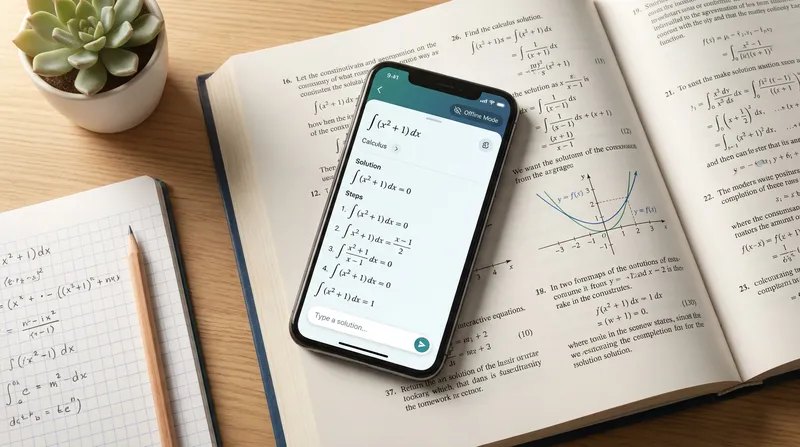
Most students and parents do not realize that the vast majority of popular study apps do not actually solve problems on your phone. Instead, they act as simple cameras that send your photos to massive cloud servers. The cloud does the heavy lifting and sends the answer back to your device, but when you lose your Wi-Fi or cellular data connection, this process breaks instantly.
This reliance on constant connectivity creates a significant barrier to learning. According to the Pew Research Center, nearly 17 percent of US teens report being unable to complete homework assignments because they lack reliable internet access. This phenomenon is commonly known as the "homework gap." Validating this issue further, data from the N.C. Department of Information Technology shows that 15 percent of households with school-aged children nationally do not have high-speed internet access at home.
When your study apps require Wi-Fi, you are tied to your router. You cannot study in the car, you cannot study on the subway, and you cannot study in the park. Even worse, requiring an internet connection means you are constantly exposed to the digital distractions of social media and messaging apps.
Actionable Tip for Parents: Test your child's current study tools by turning on Airplane Mode. Have them try to scan a math problem. If the app gives an error message, it is time to find a true offline alternative.
The Airplane Mode Study Hack: Why Offline Learning Boosts Focus
One of the biggest advantages of finding a math problem solver without internet requirements is the ability to use the "Airplane Mode Study Hack."
Parents often want to turn off the home Wi-Fi at night to ensure their children actually sleep instead of scrolling through social media. However, students frequently argue that they need the internet to finish their homework. An on-device AI tutor solves this argument completely.
By turning on Airplane Mode, students block incoming text messages, social media alerts, and game notifications. This eliminates "continuous partial attention," a state where the brain is constantly scanning for the next digital interruption rather than focusing on the task at hand. According to research cited by Beyond Book Smart, students who constantly switch between studying and digital distractions stay on task only 65 percent of the time.
This lack of focus directly leads to lower GPAs and diminished memory retention. When you use study apps that do not need Wi-Fi, you can completely disconnect from the digital noise while still accessing top-tier academic support.
Actionable Tip for Students: Next time you sit down to study for a major exam, switch your phone to Airplane Mode for 45 minutes. Use an offline AI scanner for any questions you get stuck on. You will likely find that you finish your work twice as fast.
Top Math Problem Solvers That Do Not Need Internet (And Where They Fall Short)
To understand the landscape of offline learning apps for students, we need to look at the biggest names in the industry. While many of these tools are popular, they often fail when put to the offline test. For a deeper look at why some of these tools struggle with advanced topics, check out our guide on Why Standard Math Apps Fail the Hardest High School Exams (And the AI You Should Use Instead).
1. Photomath
Photomath is incredibly famous for its camera scanning functionality, allowing students to snap pictures of handwritten math.
- The Offline Reality: While Photomath used to have robust offline capabilities for basic arithmetic, recent updates have shifted its core AI processing to the cloud. If you want detailed, step-by-step visual explanations for complex algebra or calculus, you now need a stable internet connection. In a dead zone, the app becomes severely limited.
2. Mathway
Mathway offers a clean calculator interface and covers a massive range of subjects from basic algebra to advanced calculus.
- The Offline Reality: Mathway does not offer offline access for problem-solving. Users frequently report that the app is completely useless in internet dead zones. Furthermore, they use aggressive paywalls for step-by-step explanations. If you are tired of hidden costs, read our guide on The 'Paywalled Steps' Trap: Best Free Math Solver Apps with Steps (2026 Guide).
3. Brainly
Brainly thrives on its massive community-driven database of homework questions and peer-to-peer answers.
- The Offline Reality: Brainly's offline mode only allows you to view content you have previously downloaded. You cannot ask new questions, scan new problems, or access their AI tutor without Wi-Fi. It relies heavily on mobile data for live features. Learn more about how to upgrade your study habits in our article Beyond Brainly: How to Use AI for Active Homework Practice (Without Cheating).
4. Chegg Study
Chegg provides a huge library of textbook solutions and access to live expert questions and answers.
- The Offline Reality: Chegg recently removed its offline flashcard functionality. The app now requires a constant internet connection to access its database, making it impossible to use on a Wi-Fi-free commute. It also requires an expensive monthly subscription.
5. Caktus AI
Caktus AI is marketed as a comprehensive AI writing and study assistant for students.
- The Offline Reality: Caktus AI is completely reliant on cloud processing. It has zero functionality without an active internet connection, meaning students must stay online, which drastically increases the risk of distraction.
Actionable Tip for Families: Do not rely on just one app. If you currently use a cloud-based tool, make sure you have a dedicated offline math solver step-by-step app installed as a backup for when the internet fails.
How Tutor AI Solves the Offline Problem
Students and parents are frustrated that modern tools become useless without the cloud. That is exactly why Tutor AI was built differently. Tutor AI operates on a simple philosophy: "Snap. Solve. Learn." It is designed to be a 24/7 AI-powered homework helper that provides vital support whether you have full 5G bars or absolutely zero Wi-Fi.
Optimized On-Device Processing
Unlike competitors that just cache previously downloaded videos, Tutor AI utilizes an extensive offline library and optimized on-device processing. This ensures you are never left without help, allowing you to access previously solved problems, saved content, and core step-by-step breakdowns even in a dead zone. When you snap a photo, the app's computer vision reads the equation locally to get you the help you need.
Focus on Real Learning and Exam Prep
Tutor AI does not just give you the final answer. It breaks down complex problems into logical steps, explaining the reasoning behind each phase of the solution. Whether you are tackling middle school algebra or preparing for SAT, ACT, and AP exams, Tutor AI provides curriculum-aligned practice and personalized learning paths. For a complete list of tools that prioritize understanding, explore our 7 Best AI Tutoring Apps for Step-by-Step Explanations (2026 Guide).
Progress Tracking and Social Proof
Parents love the comprehensive analytics dashboard. Even if a student completes their homework offline during the day, the app will sync their progress once they reconnect to the internet at home. This allows parents to view detailed insights into their child's learning patterns. As one parent, Sixta Lockwood, shared in an App Store review, the app provides "Clear Explanations" that lead to "No more Tears" at the kitchen table.
Actionable Tip for Students: Use Tutor AI to check your work, not just to find answers. Try solving the problem on paper first, then snap a photo offline to see if your steps match the AI's logical breakdown.
Data Plan Savers and Student Privacy First
Finding a no wifi homework solver is not just about convenience; it is also about saving money and protecting privacy.
Many families are on restricted mobile data plans. When students use cloud-based AI apps to scan dozens of math problems, upload high-resolution photos, and stream video explanations, they can easily blow through their monthly data limits. This results in expensive overage charges for parents. An offline AI homework helper minimizes this by processing core functions locally, using significantly less mobile data.
Furthermore, on-device processing provides a massive upgrade to student privacy. According to industry experts at Nomtek, on-device AI allows education apps to provide personalized learning without internet connectivity while ensuring sensitive student data remains strictly on the device. When you use Tutor AI offline, your photos and personal study habits are not being beamed to a remote server.
Actionable Tip for Parents: Check your family's cellular data usage in your phone's settings. Identify which homework apps are draining the most data, and replace them with an on-device AI alternative to lower your monthly phone bill.
How to Study Offline on Your School Commute
For many middle and high school students, the bus ride or subway commute takes up an hour or more of their day. Historically, this time was wasted because students could not access the internet to do their research or check their math answers.
With a free offline math solver app, the commute becomes the perfect study session. Here is how to make the most of it:
- Pre-Download Your Materials: Before leaving the house or school, make sure your digital textbooks or worksheets are saved locally to your device.
- Organize Your Workspace: Keep your phone, a small notebook, and a pencil easily accessible in your backpack.
- Use the Tutor AI Scanner Offline: As you work through practice problems or prep for your AP exams, use Tutor AI to snap photos of anything you get stuck on. The app will generate step-by-step explanations, even while you are moving through cellular dead zones.
- Bookmark Difficult Concepts: If an offline explanation still leaves you confused, use the app's bookmark feature. You can ask your teacher for clarification on that specific step when you arrive at school.
Actionable Tip for Students: Challenge yourself to finish all your math or physics homework during your afternoon commute. By utilizing an offline solver, you can step off the bus with your assignments completely finished, leaving your evening free for relaxation.
Frequently Asked Questions
What is the best offline AI homework helper for high school students?
The best offline AI homework helper is one that utilizes on-device processing to provide step-by-step solutions without requiring a cloud connection. Tutor AI is a leading choice because it allows students to scan complex math and science problems offline. This ensures students can study on the bus, in rural areas, or in "Airplane Mode" without losing access to top-tier academic support.
Does Photomath or Mathway work offline?
Photomath's offline capabilities have become highly restricted in recent updates, mostly limiting users to basic calculations rather than complex step-by-step AI breakdowns. Mathway requires an internet connection to generate solutions and will display an error message if you try to use it in a dead zone.
Do study apps that do not need wifi drain my phone battery?
While on-device processing uses your phone's internal CPU, modern offline study apps are highly optimized. Because they do not constantly search for a cellular signal or transmit large photo files to cloud servers, they can actually consume less battery than apps that require a continuous internet connection. Keeping your phone in Airplane Mode while using these apps will save even more battery life.
Can an on-device AI tutor read my messy handwriting?
Yes. Top-tier offline learning apps for students use advanced Optical Character Recognition (OCR) models that are downloaded directly to your device. These models are trained on millions of handwriting samples, allowing them to accurately read and parse messy equations, fractions, and scientific notation just as effectively as cloud-based scanners.
Is there a free offline math solver app that shows step-by-step work?
Many apps offer basic offline calculators for free, but they often hide step-by-step explanations behind paywalls or require internet access to load the detailed steps. Tutor AI provides an accessible solution by generating the full, step-by-step logical breakdown of the problem, ensuring you get the comprehensive help you need without hidden "paywalled steps" or Wi-Fi requirements.
Are offline study apps safe for student privacy?
They are actually much safer than cloud-based apps. Because the processing happens locally on your phone, your photos, location data, and study habits are not constantly being uploaded to third-party servers. This makes offline-capable apps a secure choice for student privacy.
How do I update my offline learning apps for students if I have no internet?
To ensure your on-device AI tutor has the latest curriculum updates and AI models, you will need to connect to Wi-Fi periodically. The best practice is to let your device update the app automatically while connected to your home network overnight. Once the update is installed, you can return to using the app completely offline during your school day or commute.
Take Control of Your Learning Today
Do not let a dropped internet connection ruin your study schedule or cause late-night panic. By switching to an offline AI homework helper, you can study anywhere, protect your privacy, save money on data plans, and use the Airplane Mode hack to achieve deep, distraction-free focus.
Ready to experience the freedom of on-device learning? Download Tutor AI free on iOS and Android today to snap, solve, and learn on your own terms - no Wi-Fi required.
Note: Every student learns differently. While these strategies are research-backed, results may vary. Adapt these techniques to fit your unique learning style and circumstances.