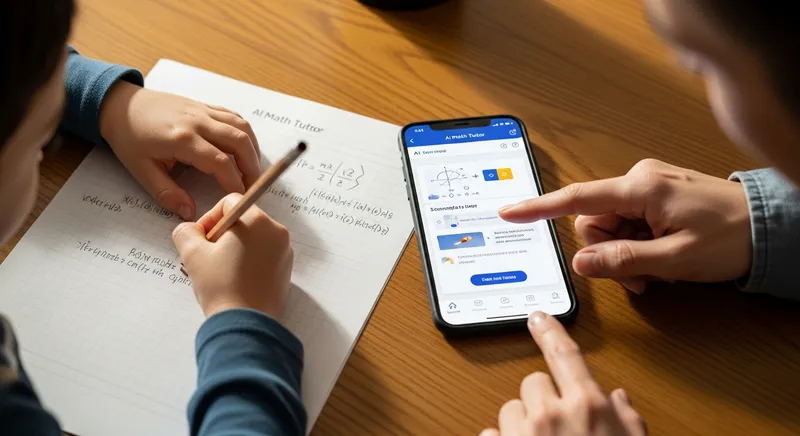
You see your child staring at their math homework, completely stuck. A familiar wave of anxiety washes over you. You remember hearing about apps that solve math problems just by taking a picture, and a dozen questions flood your mind: Is that cheating? Will they actually learn anything? Am I letting them take a shortcut that will hurt them later?
If you're a parent or a teacher, this dilemma is becoming more common every day. You're not alone in feeling unequipped. According to a survey from Common Sense Media, about half of students have used AI for schoolwork, but most parents are in the dark. This technology isn't going away, and simply banning it is not a realistic solution.
So, how do we navigate this new world? How do we transform these powerful AI math solvers from a potential cheating device into an incredible learning tool? This guide is your answer. We will provide a practical framework for parents, actionable strategies for teachers, and a smart-study guide for students to use AI for real, lasting learning.
What Are AI Math Solvers and How Do They Work?
At their core, AI math solvers are applications that use artificial intelligence to recognize and solve mathematical problems. Users can typically type in an equation or, more popularly, snap a photo of a problem from a textbook or worksheet. The AI then deciphers the problem and provides a solution.
But the magic for learning isn't in the answer. It's in the step-by-step explanations. The best tools don't just give you the 'what'; they show you the 'how' and 'why'.
For example, for the equation
2(x + 3) = 16:
- An Answer-Finder: Simply gives you
x = 5.- A Learning Tool: Shows you the steps:
- Distribute the 2:
2x + 6 = 16- Subtract 6 from both sides:
2x = 10- Divide by 2:
x = 5
Academic research categorizes these tools into different types. A review in the International Electronic Journal of Mathematics Education distinguishes between narrow problem-solvers and broader pedagogical systems. Some tools, like a basic calculator, just give an answer. Others, like Tutor AI, are designed with pedagogy in mind, focusing on breaking down the process to foster understanding. This is the key difference between a simple answer-finder and a true AI math tutor.
The Big Question: Is Using an AI Math Solver Cheating?
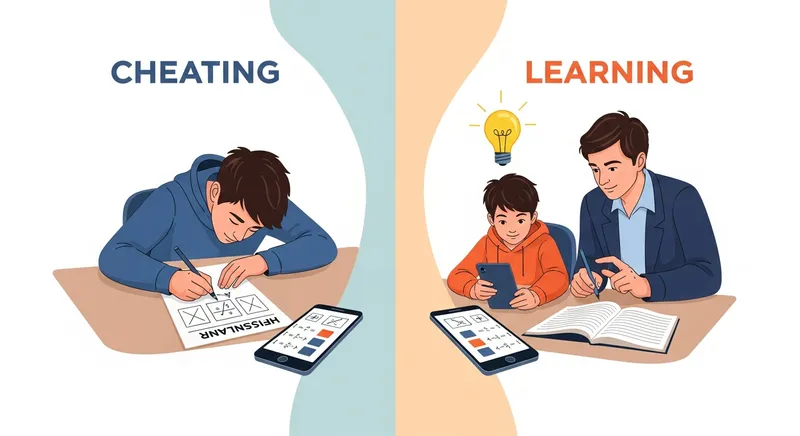
The answer is: it depends entirely on the student's intent.
Simply copying a final answer to get homework done faster is, without a doubt, cheating. It bypasses the learning process entirely. However, using the tool to understand how to arrive at the answer is a powerful form of learning.
Interestingly, the panic around AI causing a surge in academic dishonesty might be overstated. Research from Stanford Graduate School of Education suggests that cheating rates haven't significantly changed with the rise of AI; the tools have changed, but the underlying student motivations have not. Students themselves are conflicted; a survey from BestColleges found that while over half of college students use AI, a similar majority believe it still constitutes cheating. This highlights the need for clear ethical guidelines.
Think of it this way: is using a calculator for arithmetic cheating? Not in most contexts. It's a tool that handles computation so you can focus on higher-level problem-solving. A good AI math solver should be viewed the same way: as a tool to help you understand the process when you're stuck. For a deeper dive into this, our ethical guide for parents and students can help.
The Parent's Playbook: Turning AI into a Family Learning Tool
It's 9 PM, your child is frustrated with their algebra homework, and frankly, you don't remember how to solve for x either. This is where an AI solver can be a lifeline, not a liability—if you use it correctly. You don't have to be a math whiz to help; in fact, learning alongside your child can be incredibly powerful. If you've ever felt that your kid's homework is too hard for you, this playbook is for you.
Here is a 5-Step Ethical Use Checklist to use with your child every time they get stuck:
- Try First, Ask Questions: The student must make a genuine effort to solve the problem on their own first. They should be able to articulate exactly where they are stuck.
- Use the Tool Together: Open the AI solver and scan the problem with your child. This turns a solo shortcut into a collaborative learning session.
- Focus on the 'Why': Go through the step-by-step solution provided by the app. At each step, ask: "Why did they do that?" or "What concept does this step use?" This is the most crucial part of the process.
- Explain It Back: After reviewing the solution, have your child put the phone away and explain the entire problem-solving method back to you in their own words. If they can teach it, they've learned it.
- Practice a Similar Problem: True mastery comes from repetition. Find a similar problem in their textbook and have them solve it on their own, without the app. This solidifies the learning.
See Learning in Action Tools that offer Progress Tracking for parents, a key feature of Tutor AI, can give you peace of mind. A parent dashboard shows you exactly which topics your child is mastering and where they need more support, helping you look beyond report cards and see where they are truly building skills.
The Teacher's Toolkit: Integrating AI Ethically in the Classroom
Teachers are on the front lines of the AI revolution in education. Instead of fighting a losing battle to ban these tools, educators can leverage them to create a more dynamic and supportive learning environment. The U.S. Department of Education's Office of Educational Technology encourages embracing AI as a tool for teaching and learning.
Here are actionable strategies for the classroom, inspired by guidance from institutions like Harvard University's Bok Center for Teaching and Learning:
- Create a Clear AI Policy: Don't leave it ambiguous. Create a simple policy for your classroom that outlines when and how AI tools are permitted. For example: "AI solvers may be used to check answers after completion or to understand the steps on up to two problems per assignment if you are stuck."
- Design 'AI-Resistant' Assignments: Shift the focus from the final answer to the process. Ask students to explain their reasoning, compare different methods, or apply a concept to a real-world, personalized scenario. AI is bad at explaining personal thought processes.
- Teach Digital Citizenship: Use this as a teachable moment about ethics, integrity, and the proper use of technology. The ISTE (International Society for Technology in Education) Standards provide a fantastic framework for teaching students to be responsible digital citizens.
- Use AI as a Teaching Assistant: AI can be an incredible tool for AI-powered math differentiation. It provides immediate, individualized support to students when you're helping someone else, allowing everyone to move forward at their own pace.
The Student's Smart-Study Guide: Using AI to Actually Learn
If you're a student, think of an AI math solver as a 24/7 tutor that never gets tired or frustrated. It's there to help you when you're stuck, not to do the work for you. Using it smartly can be the difference between failing a test and acing it.
Here's how to use it for real learning, whether you're working on nightly homework or A-Level revision:
- Be a Detective: When you get a problem wrong, use a tool like Tutor AI's Photo Solver to get the step-by-step breakdown. Your job is to find the exact step where you made your mistake. This is far more effective than just starting over.
- Check Your Work: Finish your assignment first. Then, use the app to check your answers. This builds confidence and gives you instant feedback.
- Use It to Get Unstuck, Not to Start: Stare at a problem for 5-10 minutes. Try to write down what you know and what you're trying to find. Only when you're truly stuck should you use the solver to get a nudge in the right direction. For a deep dive, check out our guilt-free guide to using these tools.
- Explore Different Methods: Sometimes there's more than one way to solve a problem. Good AI solvers might show alternative methods, deepening your understanding of the concepts.
Choosing the Right Tool: What to Look For in an AI Math Solver
Not all AI math solvers are created equal. Some are little more than cheat sheets. Others, like the tools being developed by respected institutions like Khan Academy, are designed to function like a Socratic tutor.
When evaluating a tool, look for these features that promote real learning:
- Detailed, Clear Step-by-Step Explanations: This is non-negotiable. If it doesn't explain the 'how' and 'why,' it's not a learning tool.
- Support for Word Problems: Many students struggle with translating words into math. A solver that can handle this is invaluable.
- Personalized Learning Paths: The best tools, like Tutor AI, analyze your performance to identify your weak spots and provide targeted practice to help you improve.
- Multi-Subject Support: Problems often cross disciplines. A tool that can help with science homework in addition to math is a huge plus.
For a full rundown of learning-focused capabilities, you can explore the features of Tutor AI.
Conclusion: Building Confidence, Not Dependency
AI math solvers are no longer a futuristic concept; they are a present-day reality in education. The fear and anxiety they provoke in parents and teachers are understandable, but they also represent an incredible opportunity.
By shifting our mindset from prohibition to guided implementation, we can transform these tools from a potential crutch into a powerful engine for learning. The key is intention. By using the frameworks in this guide, parents can become active partners in their child's learning, teachers can design more resilient and engaging instruction, and students can take control of their own education.
The goal isn't to become dependent on an app. It's to use that app to build the skills and confidence to eventually solve the problems all on your own.
Ready to turn homework anxiety into moments of genuine learning? Snap. Solve. Learn. Discover how Tutor AI's step-by-step explanations and progress tracking can help. Download it free on iOS and Android today!
Note: These strategies are for managing typical academic stress. If homework anxiety becomes overwhelming or persistent, please consider consulting with a school counselor or mental health professional.
Frequently Asked Questions
Is using an AI math solver like Photomath or Tutor AI considered cheating?
It's only cheating if the goal is to copy the final answer without any effort. It is not cheating when used as a learning aid. The ethical line is crossed when the tool is used to bypass the learning process. Using it to check your finished work, to understand the specific step where you went wrong, or to get a hint after a genuine attempt are all powerful and legitimate ways to learn.
How can I ensure my child is actually learning and not just copying answers from an AI?
Active involvement is key. Use our 5-Step Checklist: 1) Make them try the problem first. 2) Review the step-by-step solution with them. 3) Ask them to explain the 'why' behind each step. 4) Have them re-teach the method to you. 5) Have them solve a similar problem without the app. This process makes it impossible to just copy and ensures comprehension.
How can teachers adapt their homework and tests for the age of AI?
Teachers can 'AI-proof' assignments by focusing on process over answers. Instead of just solving 10 equations, ask students to solve one and write a paragraph explaining their method. Other strategies include asking for real-world applications, creating multi-step problems that require personalized data, or having students record a short video explaining their solution. The goal is to assess critical thinking that AI cannot replicate.
What are some AI math tools that are designed for learning, not just giving answers?
Look for tools that prioritize pedagogy. A good learning tool will always offer detailed, step-by-step explanations. Features like personalized practice, the ability to show multiple solution methods, and progress tracking (like in Tutor AI) are strong indicators that the app is designed for learning. Tools that function more like a tutor, such as Khan Academy's Khanmigo, are also excellent choices.
Does an AI math solver work without an internet connection?
Yes, for review. You can access previously solved problems and their step-by-step explanations offline. This is perfect for studying on the go. To solve a new problem by taking a photo, you'll need an internet connection.
How can I talk to my child or student about using AI ethically for school?
Frame it as a conversation about integrity and smart tool usage, not an accusation. Start by acknowledging the tools exist and are powerful. Discuss the difference between using a tool to help you learn (like a calculator or a tutor) versus using it to misrepresent your abilities. Create a clear, collaborative policy for when and how AI can be used for homework, establishing trust and open communication.