
As a teacher, you wear dozens of hats every single day. You're an instructor, a mentor, a motivator, and a guide. But the hat that often feels the heaviest is that of a curriculum designer, especially when it comes to differentiating math instruction. The dream is to give every student the exact support and challenge they need. The reality is often an endless mountain of worksheets, late nights, and the nagging feeling that you still can't reach everyone.
You've probably heard that Artificial Intelligence is changing education. Yet, many of the most well-known "AI math tools" are designed for students to get instant answers, which can feel more like a shortcut to cheating than a path to genuine learning. This leaves dedicated educators feeling stuck—you know AI can help, but you're not seeing a clear, practical way to use it to make your job easier and your teaching more effective.
This guide is different. We'll show you how to use AI as your personal teaching assistant to create high-quality, differentiated math lessons with incredible efficiency. This is your playbook for reclaiming your weekends and spending more time doing what you love: teaching.
Key Takeaways
- Save Time: Teachers using AI for lesson prep save an average of 5.9 hours per week, according to data compiled by DemandSage.
- Work Smarter: Use a simple 3-step "Prompt-First" workflow to generate tiered activities, support materials, and assessments.
- You're the Expert: AI is your production assistant, not a replacement. Your expertise is crucial for reviewing and refining content.
The numbers show that teachers are already embracing this shift. During the 2024-2025 school year, about 60% of U.S. public school teachers used AI tools. However, as noted in a February 2026 U.S. House subcommittee hearing, nearly 70% of those same teachers reported feeling unprepared to use it effectively. Let's close that gap, starting now.
What is Differentiated Instruction in Math? (And Why Is It So Hard?)
At its core, differentiated instruction is about tailoring your teaching to meet individual student needs. In a math classroom, this often means adjusting four key areas:
- Content: The skills and concepts students learn.
- Process: The activities students use to make sense of the content.
- Product: The way students demonstrate what they have learned.
- Environment: The way the classroom looks, feels, and functions.
This is especially challenging in mathematics because concepts build on each other so directly. A small gap in understanding integer operations can become a major roadblock in algebra. One student might need more time and scaffolding with foundational skills, while another is ready to leap ahead to more complex applications. Manually creating materials for each group is a monumental task.
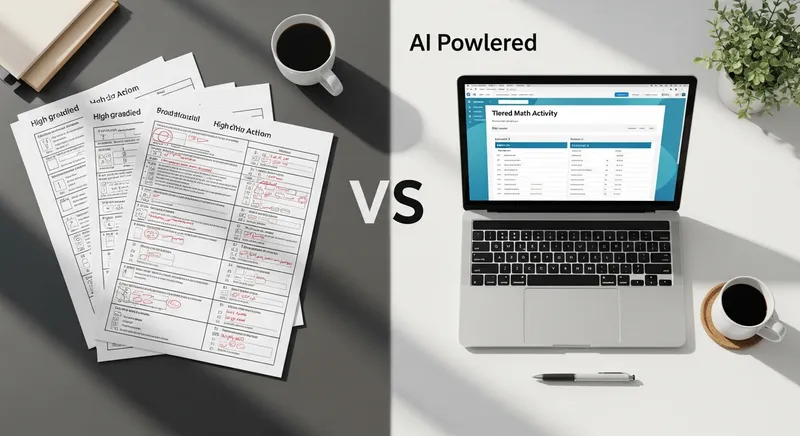
How AI Can Be Your New Teaching Assistant
The narrative around AI in education is often dominated by student-facing tools that solve problems instantly. While these can be useful, they can also create ethical dilemmas. For more on this, check out our ethical guide on homework helpers vs. cheating tools. The real revolution for educators is framing AI as your behind-the-scenes partner. You are the instructional designer; AI is your tireless production assistant.
This isn't just theory—it's already happening. A recent Gallup report found that the top uses for AI among teachers are preparing lessons, making worksheets, and modifying materials for student needs. That's nearly six extra weeks of reclaimed time over a school year!
Now that you understand why AI works as a teaching assistant, let's put theory into practice with a real lesson example.
The Prompt-First Workflow: One Lesson, Three Ways
This is where theory becomes practice. We'll walk through a common middle school math topic—solving two-step equations—and use simple prompts to create a fully differentiated lesson package. You can adapt this workflow for any topic.
Step 1: Define the Core Learning Objective
Start by telling the AI who you are and what your goal is. This context is crucial for getting relevant results.
Actionable Prompt:
"I am a 7th-grade math teacher preparing a lesson on solving two-step equations. My learning objective is: 'Students will be able to solve for a variable in a two-step linear equation.' My class has diverse needs: a small group struggles with integer operations, the main group is at grade level, and a few are ready for variables on both sides. Act as my expert instructional assistant."
Step 2: Generate Tiered Practice Problems (The 'What')
Now, ask the AI to create different sets of practice problems tailored to each group's needs.
Approaching-Level Group Prompt:
"Generate 5 practice problems for my group that struggles with integer operations. The equations should only use positive integers and simple operations. Please include one fully worked-out example to model the process."
AI-Generated Example (Approaching-Level):
Worked-Out Example: Solve for x:
2x + 3 = 11
- Subtract 3 from both sides:
2x + 3 - 3 = 11 - 3→2x = 8- Divide by 2 on both sides:
2x / 2 = 8 / 2→x = 4Practice Problems:
3a + 1 = 105y + 4 = 24
On-Level Group Prompt:
"Generate 10 standard two-step equation problems for my on-level group. Include a mix of positive and negative integers, and ensure some answers are decimals or fractions."
Advanced Group Prompt:
"Generate 5 challenge problems that extend this concept. Include variables on both sides of the equation or require students to first write the equation from a real-world word problem."
Step 3: Create Scaffolding and Support Materials (The 'How')
Differentiation isn't just about different problems; it's about different levels of support. As noted by a systematic review in the Eurasia Journal of Mathematics, Science and Technology Education, AI is excellent at providing targeted resources.
Scaffolding Prompt:
"For my approaching-level group, create a simple, visual checklist of the 4 key steps to solve a two-step equation. Also, generate a 'Common Mistakes' tip sheet that highlights errors like forgetting to apply an operation to both sides or mixing up signs."
When students take these assignments home, they can continue to get support. Tools like our AI Math Solver provide instant, step-by-step explanations for any problem they get stuck on, reinforcing the methods you teach in class.
Step 4: Design Varied Assessments (The 'Product')
Finally, use AI to quickly create exit tickets to assess understanding across all groups.
Assessment Prompt:
"Create three different exit ticket questions for this lesson, one for each of my three student groups (approaching, on-level, advanced). The questions should directly assess their ability to solve a two-step equation at their respective levels."
Beyond Worksheets: More Ways to Differentiate with AI
Your AI teaching assistant can do more than just create problem sets. Here are a few other ideas to enhance engagement and understanding:
-
Personalized Word Problems: Make math relevant by asking AI to create problems based on student interests. Actionable Prompt:
"Act as a creative 7th-grade math teacher. A group of my students loves basketball. Create 4 word problems about a basketball game that require solving two-step equations. The problems should be fun and relatable."
AI-Generated Example:
"Your favorite player, Elena, scored 25 points in a game. She made 9 shots that were all 2-pointers, and the rest were 1-point free throws. How many free throws did she make? (Equation:
2*9 + x = 25)" -
Real-World Project Ideas: Move beyond the worksheet with creative, multi-level projects. Prompt:
"Generate three ideas for a mini-project where students apply two-step equations to a real-world scenario like budget planning, with varying levels of complexity for different learners." -
Generating Explanations: Get fresh ways to explain tough concepts. Prompt:
"Explain the concept of 'isolating the variable' to a 12-year-old using an analogy related to a balance scale." -
Supporting Math Intervention: Quickly generate practice for prerequisite skills. Prompt:
"My student is struggling with two-step equations because they are weak in operations with negative numbers. Generate 15 practice problems focused only on adding and subtracting negative integers."
The Future of Math Education: A Partnership with AI
A 2025 RAND Corporation report found that math teachers have been slower to adopt AI tools compared to their ELA and science colleagues. This isn't a critique; it's a massive opportunity. By embracing these tools, math educators can lead the way in using technology to truly serve students.
In the future, AI will help us move beyond report cards by analyzing learning data to pinpoint class-wide misconceptions before they become major issues. This new ecosystem also supports parents who feel overwhelmed when their kid's homework is too hard for them, creating a supportive loop between school and home.
By embracing AI as a partner, you can finally move from the dream of differentiation to the daily practice of it. You can spend less time creating materials and more time connecting with students. This isn't about working harder; it's about giving yourself the tools to work smarter and get back to the heart of teaching.
When your students need that extra support at home, a reliable AI Homework Helper can reinforce the concepts you've taught. See all the Tutor AI features that make learning and teaching a more seamless experience.
Frequently Asked Questions
What are the best free AI tools for a math teacher?
Great options include the free versions of ChatGPT, Google's Gemini, and Microsoft Copilot. For a tool specifically designed for education, look into the teacher resources provided by Khan Academy for their Khanmigo assistant.
How can I use AI to create math word problems with different complexity levels?
Start with a clear prompt that specifies the topic, grade level, and desired complexity tiers. For example: "Act as an 8th-grade math teacher. Generate three word problems about calculating the area of a circle. The first problem should provide the radius directly. The second should provide the diameter. The third should require the student to solve for the radius from the circumference first."
Can AI help me identify and address student misconceptions in math?
Yes, indirectly. While AI can't read students' minds, you can use it proactively. After a quiz, you can input a summary of common errors to the AI and ask it to analyze the likely misconception. For example: "Many of my students are incorrectly solving 3(x+2)=18 as 3x+2=18. What is the core misconception here, and can you generate a simple visual analogy to help me explain the distributive property correctly?"
How do I ensure AI-generated problems are accurate and curriculum-aligned?
Think of AI as a first-draft assistant. Your expertise is essential. Always review, edit, and approve the content AI generates to ensure it's accurate, curriculum-aligned, and appropriate for your students. You are the final quality check.
Will using AI for lesson planning replace the need for a math teacher?
No, absolutely not. AI is a powerful production tool, but it is not a teacher. It handles the repetitive, time-consuming tasks of content creation, freeing you up to focus on the uniquely human aspects of teaching. You build relationships, manage classroom dynamics, provide real-time emotional support, celebrate breakthroughs, and adapt to non-verbal cues. No AI can do that.
Note: AI tools can significantly reduce workload, but it's important to prioritize your wellbeing. Persistent burnout may require additional support. Every student also learns differently. While these strategies are research-backed, results may vary. Always adapt these techniques to fit your unique classroom needs and circumstances.