Why Your Child's Homework App Suddenly Stopped Working
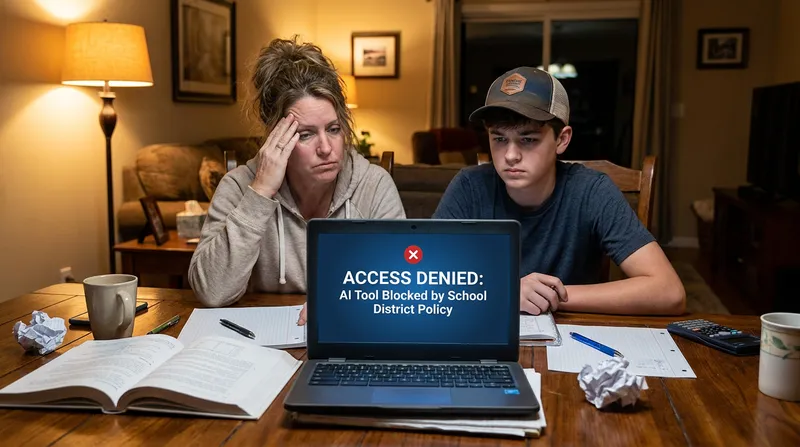
We have all been there. It is 10 PM on a Tuesday, your middle schooler is crying over a complex algebra assignment, and you are desperately trying to remember math concepts you have not used in twenty years. You tell your child to pull up their usual homework solver app to get a hint. But when they open their school-issued Chromebook or iPad, a glaring "Site Blocked" message appears on the screen.
Suddenly, the tools your family relied on for late-night study sessions are gone. That is exactly why tools like Tutor AI are built for these moments. They are available 24/7, and even work offline, so help is always there when the school's system is not.
If this sounds familiar, you are not alone. On 2 September 2026, the two largest school districts in the United States announced student-facing generative AI moratoriums for the 2026-27 school year, and a massive shift in K-12 educational technology is now underway across the country. Major school districts are cracking down on unvetted generative AI and homework helper apps.
Parents are understandably stressed and confused. You do not have the time to relearn high school physics to tutor your kids. You are also terrified of accidentally violating strict new academic integrity policies by paying for the wrong AI subscription.
This guide will break down exactly what these 2026 school AI bans mean for your family. We will explain why certain apps are blocked on school iPads, explore the new school Chromebook AI restrictions, and help you find safe, approved alternatives that actually help your child learn.
Understanding the 2026 School AI Bans: NYCPS and LAUSD Policies
To understand why your child's favorite app is suddenly off-limits, we need to look at the 2026-27 policies from the two largest school districts in the United States. Their decisions often set the standard for thousands of other districts nationwide.
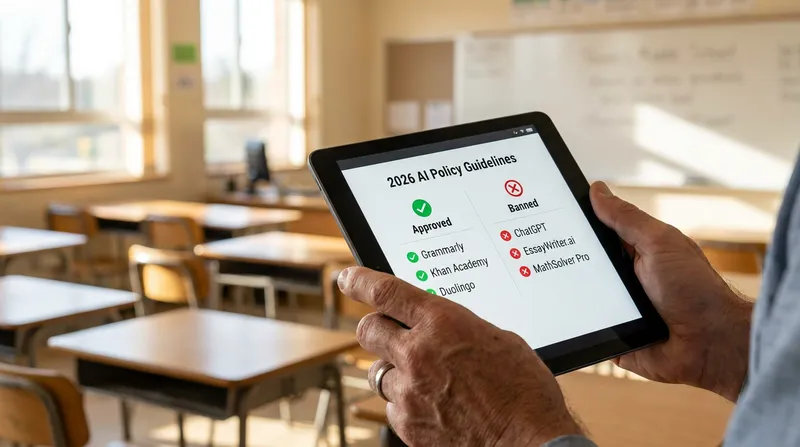
According to the New York City Public Schools (NYCPS) guidance on AI and screen time, the district has enacted a one-year moratorium on student-facing generative AI for grades 2K through 8 for the 2026-27 school year, affecting roughly 600,000 students. Software that uses student-facing generative AI is not permitted in those grades, and companion chatbots are prohibited across all grades. High school students get limited use of approved, vetted programs plus twice-yearly AI critical thinking modules. The stated goal is to hit pause and evaluate how these tools impact young, developing minds.
Similarly, Education Week reports that the Los Angeles Unified School District (LAUSD) adopted its own moratorium on the same day, restricting generative AI tools on all student-issued devices across every grade level for 2026-27. LAUSD had previously allowed students aged 13 and over to use approved AI tools after digital-citizenship training, and reversed that position. Their policies aim to limit excessive screen time and ensure students are not using technology to bypass the actual work of learning.
These policies might feel frustrating when you are just trying to help your child finish their homework. However, it is important to remember that these bans are meant to protect students. Schools are trying to prevent "cognitive offloading," which happens when a student lets a computer do the thinking for them. The goal is not to make homework impossible, but rather to ensure the technology being used is actually teaching the student.
The Technology: How Jamf and Lightspeed Enforce School iPad Restrictions
You might be wondering why an app works perfectly fine on your personal smartphone but refuses to load on your child's school device, even when they are connected to your home Wi-Fi. The answer lies in the sophisticated software schools use to manage their technology.
Schools enforce these new AI policies using Mobile Device Management (MDM) software and advanced web filtering. For example, Jamf is a leading MDM provider for Apple devices in education. Jamf school iPad restrictions allow school IT administrators to remotely disable specific features, block app downloads, and even turn off built-in device features that rely on unapproved AI. Because this software is installed at the system level, the restrictions follow the device everywhere it goes.
In addition to device management, schools use network filters like Lightspeed Systems. Lightspeed web filtering for schools uses an adaptive, constantly updating database of millions of websites to automatically block unauthorized AI generation tools. If a new AI cheating website pops up on a Monday, Lightspeed can identify and block it across the entire school district by Tuesday.
These filters are tied to the device itself, so working around them is not possible, and attempting to do so could put your child at risk of a policy violation. The better path is finding the right tools that work within these boundaries.
Answer Engines vs. AI Tutors: Is Mathway Blocked in School?
One of the most common questions parents ask is, "Why is Mathway blocked in school?" To answer this, we have to look at the critical difference between an "Answer Engine" and an "AI Tutor."
An Answer Engine is a tool designed to give the user the final solution with minimal effort. Apps like Mathway and Photomath historically fall into this category. A student snaps a photo of a math problem, and the app instantly provides the final answer. Schools block these apps because they bypass the learning process. If a student can get the answer in two seconds without thinking about the underlying concepts, they are not actually learning the material.
If you are currently paying for one of these tools and wondering if it is still a good investment given the new school rules, you might want to read our detailed breakdown: Is Photomath Plus Worth It? Mathway vs. Photomath vs. Gauth Plus (2026 Review).
An AI Tutor, on the other hand, operates entirely differently. Approved AI tutors for students use the Socratic method. When a student is stuck, an AI tutor does not just hand over the answer. Instead, it asks guiding questions. It breaks the problem down into smaller, manageable steps. It requires the student to do the heavy lifting and engage in productive struggle.
Tools like Tutor AI are designed specifically with this educational philosophy in mind. By acting as a supportive guide rather than an answer key, true AI tutors sit on the right side of school academic integrity policies while still providing the late-night homework help families desperately need. They are still generative AI tools, so under the current moratoriums they belong on a home device rather than a school-issued one.
Quick Reference: Is This App Safe?
When deciding which tools to use at home, it helps to know how schools typically classify them. Here is a quick breakdown of common homework apps:
| App Type | Example Tools | Status | Why Schools Block or Approve It |
|---|---|---|---|
| Answer Engines | Mathway, Photomath | Blocked | Provides final answers instantly without requiring the student to show work. |
| Unvetted Chatbots | ChatGPT, Claude | Depends | Often blocked on school networks due to lack of guardrails and potential for essay generation. |
| Socratic AI Tutors | Tutor AI | Home use | Acts like a human tutor by asking guiding questions and requiring step-by-step work. Note: the NYCPS and LAUSD moratoriums cover all student-facing generative AI on school devices, so use these on a personal home device, not a school-issued one. |
What Counts as an Academic Integrity Violation vs. Approved AI Use: Real Examples
Understanding where the line is drawn can save your child from unnecessary stress. Here are a few concrete, parent-friendly scenarios to help you navigate these boundaries.
Scenario 1: Writing a History Essay Violation: Asking an AI chatbot to write a five-paragraph essay on the American Revolution and copying the text. Approved Use: Writing the essay yourself, then using an AI tutor to check for grammatical errors or suggest better transition sentences.
Scenario 2: Solving a Geometry Problem Violation: Scanning a worksheet with an answer engine to instantly fill in the final numbers. Approved Use: Using Tutor AI to snap a picture of a difficult problem. The AI then asks you to identify the correct formula first, guiding you to the solution step-by-step.
The U.S. Department of Education Framework for Safe AI
It is easy to assume that all students want the easy way out, but the reality is quite different. Students want to learn, and they do not want to be falsely accused of cheating. To support this, national guidelines are helping schools create responsible AI guardrails.
According to the U.S. Department of Education, modern educational frameworks highlight a crucial balance: the difference between AI literacy and unrestricted AI access. Their guidance emphasizes keeping a "human in the loop" and using AI to enhance, not replace, human thinking.
AI literacy means teaching students how to use artificial intelligence responsibly as a tool for brainstorming, organizing thoughts, and testing their knowledge. Unrestricted AI access, however, simply means letting students use technology to bypass the learning process entirely.
Understanding this framework helps parents see exactly where the line is drawn. Using an app to generate an essay is cheating. Using an app to explain why a geometry formula works is learning. If your child is feeling anxious about where this line is, check out our guide on Is Using AI for Homework Cheating? How to Beat Homework Imposter Syndrome for helpful talking points.
How to Find an AI Homework Helper Approved for Middle and High Schoolers
Now that you know why certain apps are blocked, how do you find a safe AI for middle schoolers that will not get them in trouble?
When evaluating an AI homework helper, look for tools that follow the "Snap. Solve. Learn." philosophy. Use this simple parent checklist:
- Does it refuse to give just the final answer? A safe tool will insist on showing the work and explaining the "why" behind the solution.
- Does it track progress? Tutor AI's parent dashboard lets you see exactly which concepts your child is struggling with, so you can have informed conversations with their teacher without needing to decode the homework yourself.
- Is it interactive? The tool should ask the student questions and require them to input intermediate steps, ensuring they are actively participating in the problem-solving process.
- Does it align with curriculum standards? The explanations should match the methods taught in modern classrooms, avoiding confusion.
If you need a comprehensive list of tools that meet these strict educational standards, we have compiled a resource for you: Need Help With Math Homework? Safe, Step-by-Step Online Tools (That Aren't Cheating).
Tutor AI was built specifically to pass this checklist. When your child snaps a photo of a difficult problem using Tutor AI, they are not just given the answer. They are guided through a personalized, step-by-step learning path that builds their confidence and ensures they actually understand the material for their next big exam.
3 Steps Parents Can Take Tonight to Support Homework Safely
You do not need to be a tech expert or a math genius to help your child navigate these new rules. If you are dealing with blocked apps and homework frustration tonight, here are three actionable steps you can take immediately.
Step 1: Check your school's specific Acceptable Use Policy (AUP). Take five minutes to visit your school district's website and search for their current technology policy. Look for terms like "student-facing generative AI" or "academic integrity." Knowing exactly what your specific school allows will give you peace of mind and help you set clear boundaries at home.
Step 2: Separate the devices during study time. Because school Chromebook AI restrictions and Jamf iPad filters are incredibly strict, it is often best to keep the school device dedicated strictly to school-hosted portals (like Google Classroom or Canvas). If your child needs an AI tutor for extra help, have them use a family tablet or home computer. This prevents the school's aggressive web filters from blocking safe, approved educational sites.
Step 3: Switch from answer engines to Socratic AI tutors. If your family has been relying on tools that just scan and solve, it is time to make a switch. Sit down with your child and introduce them to an approved AI tutor. You can even use the parent progress reporting features to actively monitor their learning journey without hovering. Explain that while it might take a few extra minutes to work through the steps, they will actually understand the material. For more recommendations, read our guide on the Best Free Online Homework Help: A Parent's Guide to Safe Sites & Apps (2026).
Note: Every student learns differently. While these strategies are research-backed, results may vary. Adapt these techniques to fit your unique learning style and circumstances.
Empowering Your Child's Learning Journey
Navigating the 2026 school AI bans does not have to be a source of nightly stress for your family. By taking the time to understand why certain tools are blocked, learning the difference between simple answer engines and true Socratic AI tutors, and choosing approved educational apps, you can safely support your child's academic growth. Remember to separate school devices from home devices during study time, and always prioritize tools that encourage productive struggle over instant gratification.
Ready to replace blocked answer engines with a step-by-step AI tutor for home study time? Download Tutor AI free on iOS and Android today, and give your child the step-by-step, 24/7 homework support they need to succeed tonight.
Frequently Asked Questions
Why is Mathway blocked on my child's school Chromebook?
Schools block apps like Mathway using web filters like Lightspeed because they often act as "answer engines." These tools can give final solutions without requiring the student to show their work or learn the concept, which violates most modern academic integrity policies.
What are the NYCPS AI rules for the 2026-27 school year?
NYCPS has enacted a one-year moratorium on student-facing generative AI for grades 2K through 8, so younger students cannot access these tools on school devices, and companion chatbots are banned across all grades. High schoolers get limited, closely monitored approved programs and two AI literacy modules a year.
Can I bypass Jamf school iPad restrictions for homework at home?
No. Jamf restrictions are tied to the device's management profile, not your home Wi-Fi network. The school controls the device settings remotely. Parents should instead use a personal home device paired with a school-approved AI tutor for evening homework help.
Are AI tutors considered cheating under U.S. Department of Education guidelines?
No. Guidelines prohibit using AI to completely write essays or solve assignments on behalf of the student. However, they strongly support using Socratic AI tutors that guide students step-by-step and keep a human in the loop to teach them the material.
What makes an AI homework helper approved by schools?
Approved AI helpers function like human tutors. They ask guiding questions, explain concepts step-by-step, and refuse to simply hand over the final answer. This ensures the student does the cognitive work necessary to actually learn the subject.